CHAPTER 5
Tram controller
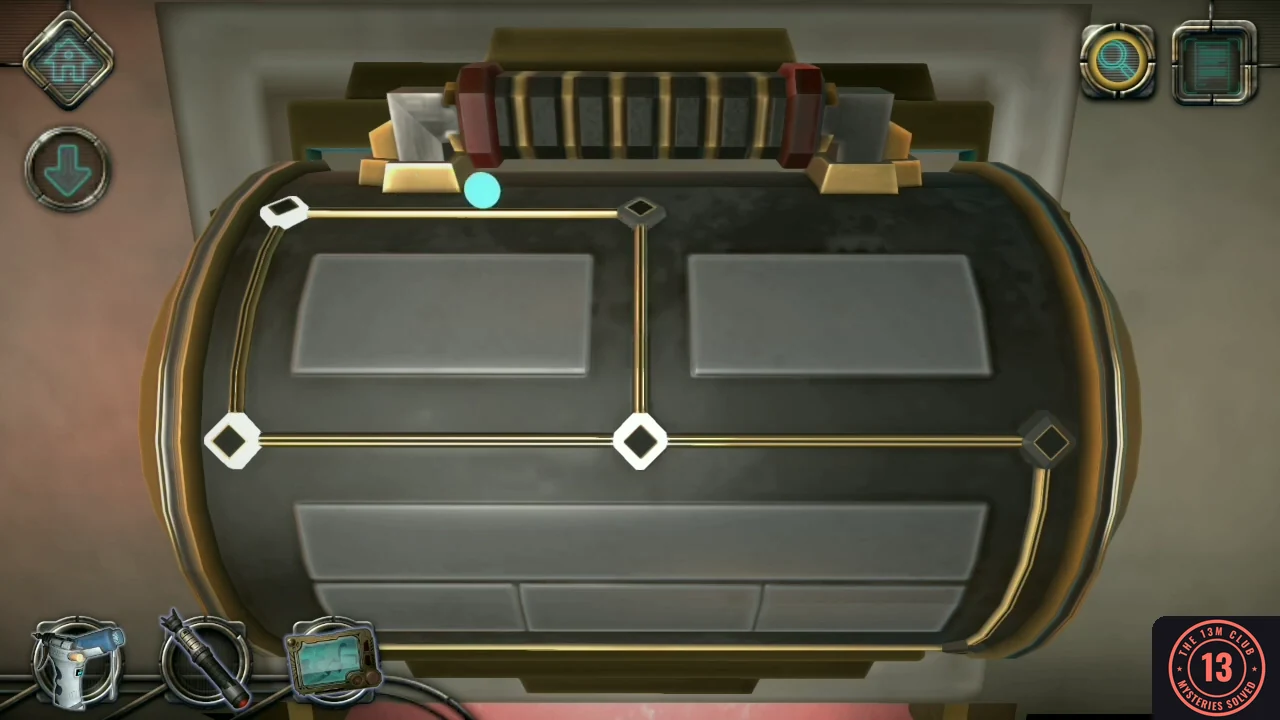
Enter the elevator. It turns into a tram with a new controller.
- Go through the door into the elevator.
- Press the red buttons on the sides of the controller, then drag the glowing orb along the tracks until every light on the controller is on.
- Push the handle forward to drive the tram, then open the door.
CHAPTER 5
Floor star
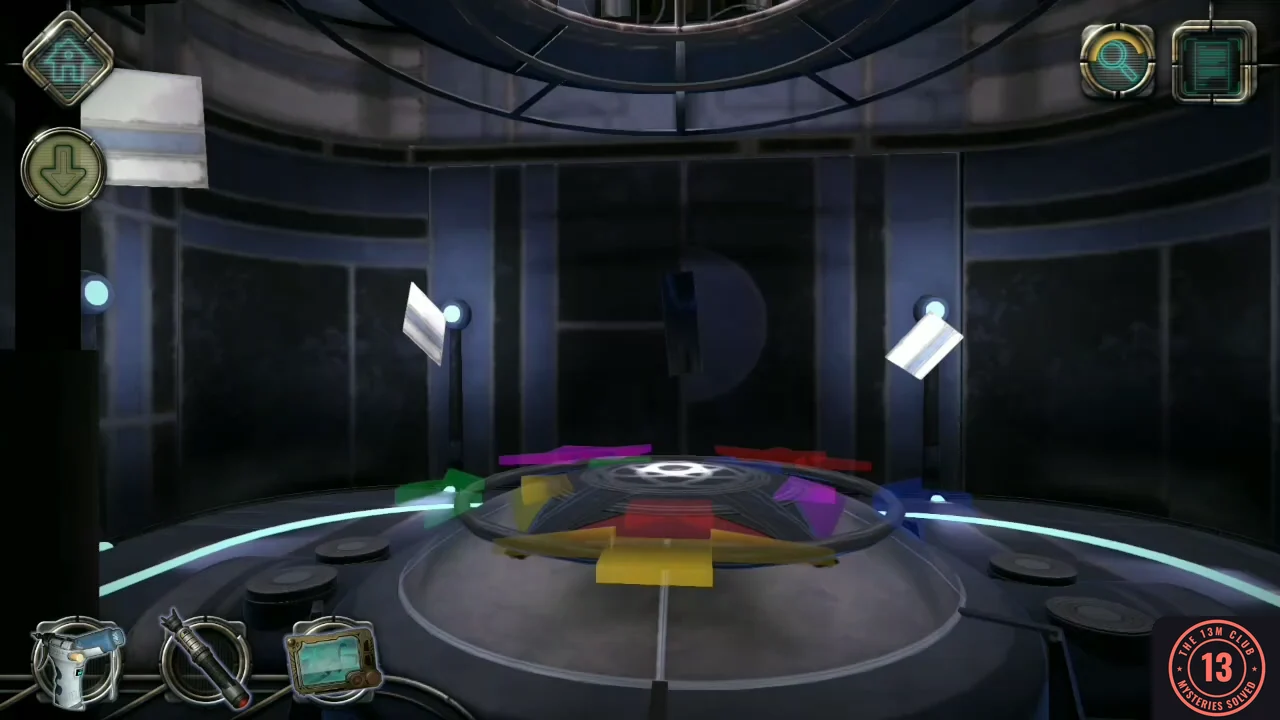
A moving platform carries you around the room.
- Press the small red button to call the moving platform, step on and press the right orange button. Press it again to go down to the bottom.
- Take Letter #07 floating in the air.
- Take the light bulb from between the floating blue plates.
- Turn the outer ring until a coloured outer shape lines up with the inner shape of the same colour, then slide it inward. Repeat until every shape is in place.
- Move the three green blocks to their targets: the left buttons turn all blocks around the ring and the right buttons toggle the blockers.
CHAPTER 5
Light panel
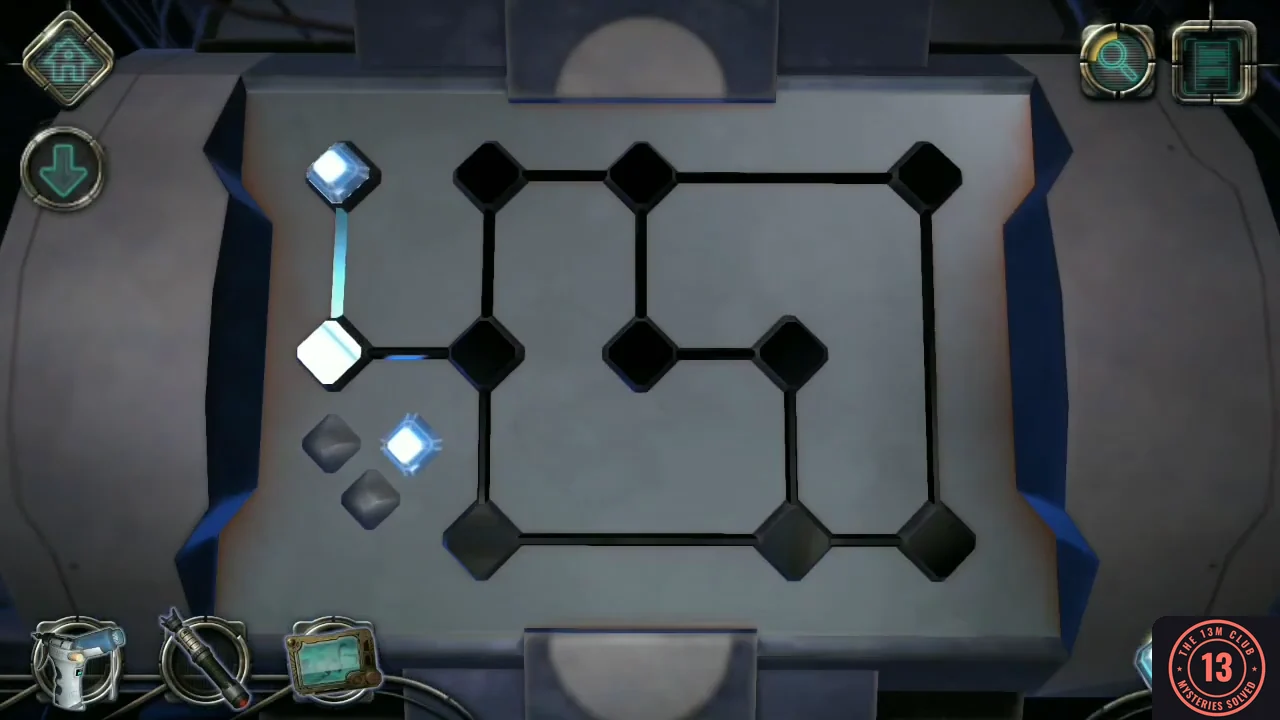
Back at the top of the silo, the console beside the platform has a network of light sockets, most of them empty.
- Return to the platform and press the left orange button to go back up. At the console, take the two lights already sitting on the panel: one on the upper-left node and one beside the small group of diamonds. Together with the light you collected below, you now have three. Place them on the third node of the top row, the leftmost node of the middle row and the middle of the three nodes on the bottom row. Every line turns green.
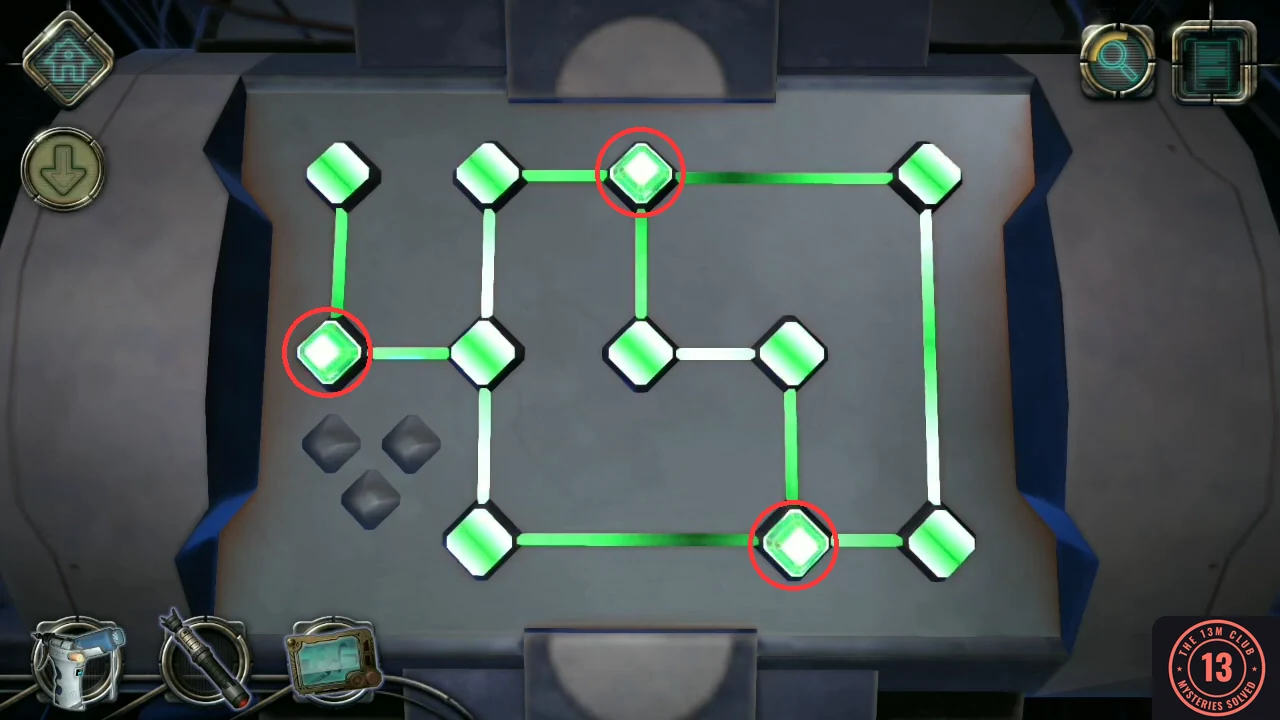
The three light positions (circled) and the completed network.
CHAPTER 5
Mirror panel and gravity
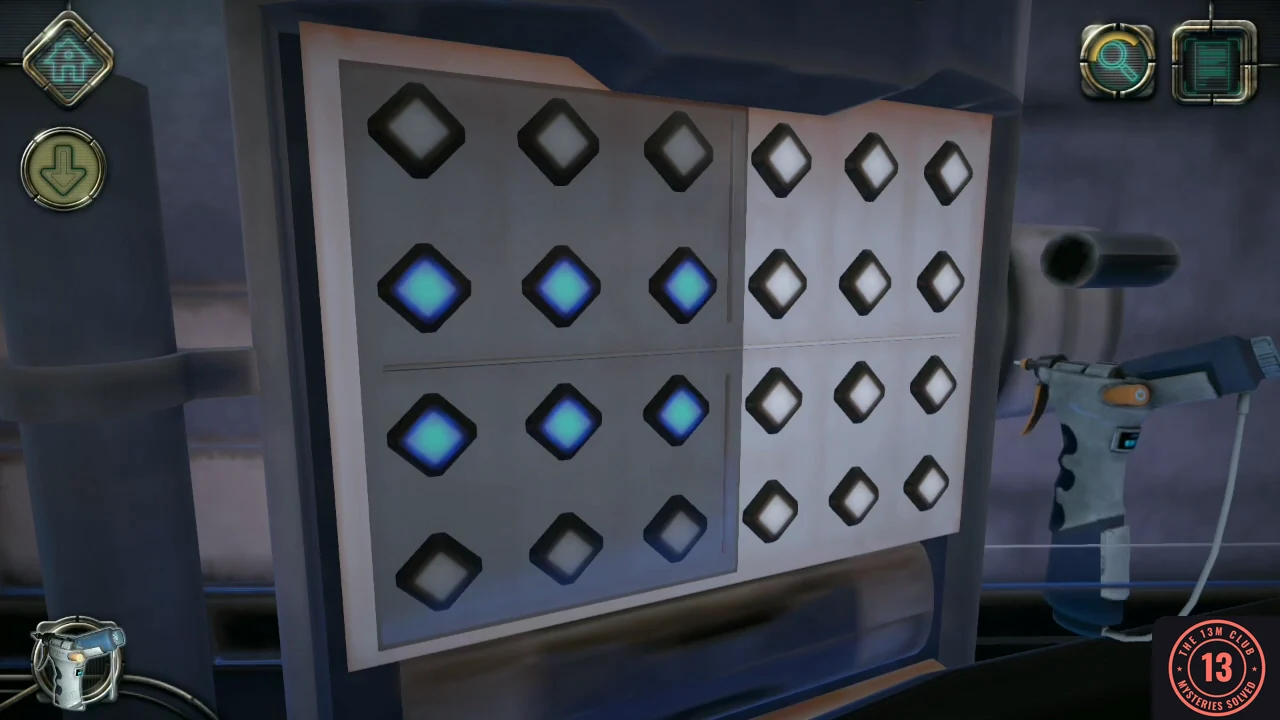
Cross to the middle of the area.
- Clean the console on the right with the air duster.
- Tap the buttons on the right half until its pattern mirrors the left half. Repeat for the next two patterns.
- Pull down the handle that appears. Gravity flips; take the mechanical device next to the handle.
- Examine the device and turn it to the back. Rotate the thin ring so its blue parts are at top and bottom, slide the silver bar down into the ring, then rotate the ring 45 degrees so the four squares turn blue.
CHAPTER 5
Floor ring console
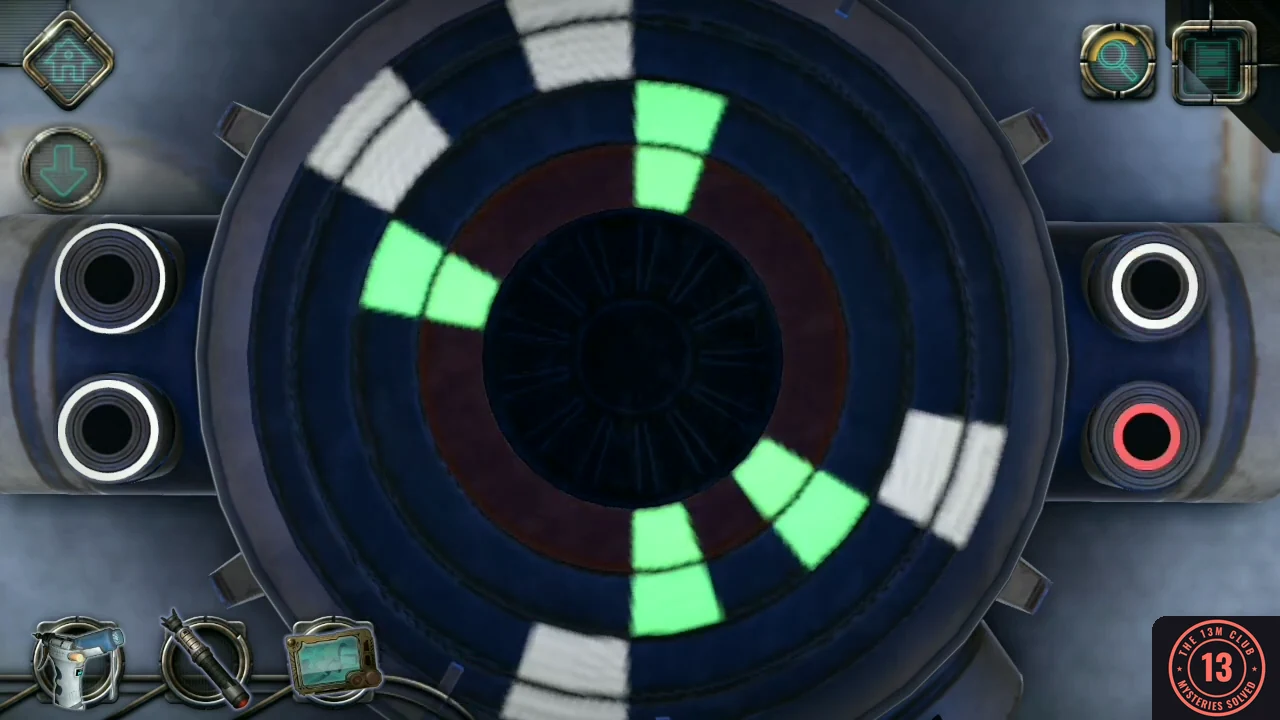
After repairing the device, return to the lower stop. The repaired device fits into the open panel on the right.
- Ride the platform down again, open the floor panel on the right and insert the repaired device.
- Use the buttons to reverse ring directions until all highlighted segments line up and turn green.
CHAPTER 5
Floating sphere
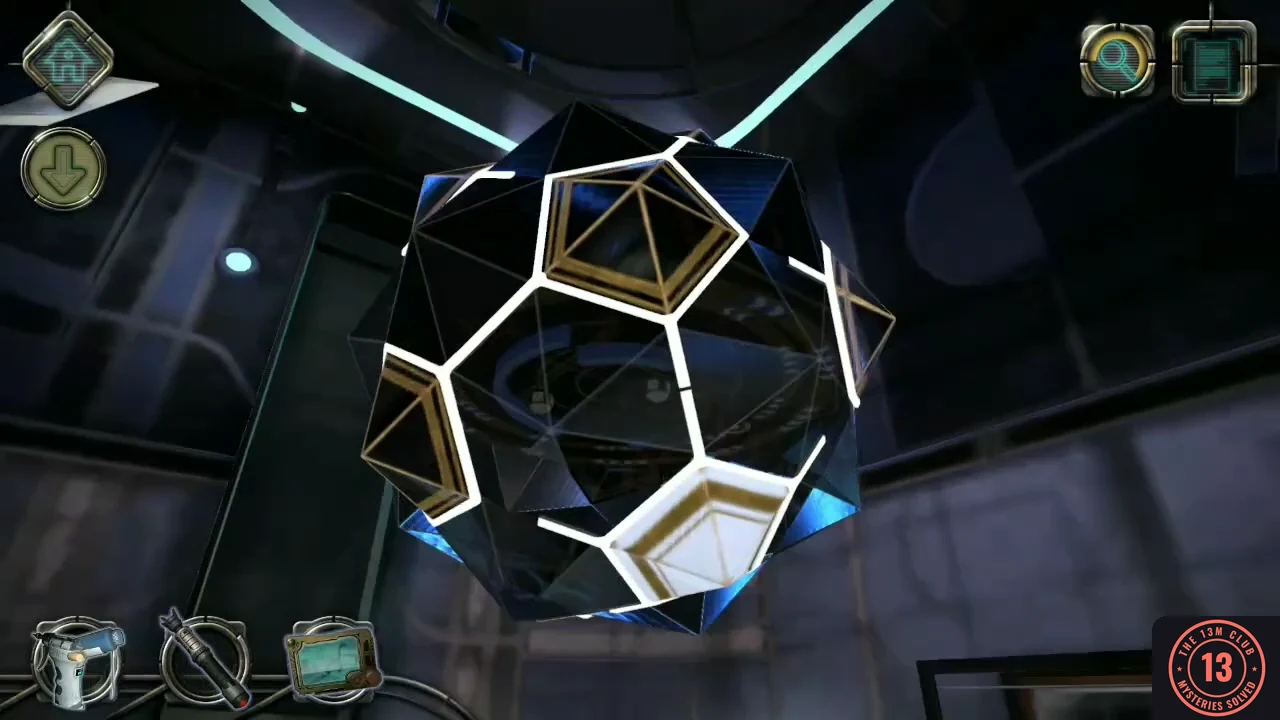
You now float in front of the large sphere in the middle of the silo. Two final puzzles open it.
- Rotate the points on the floating shape until every white line connects to another white line or to the white pentagon.
- In each of the three ring puzzles, rotate the rings so the laser first hits the blue target to remove barriers, then the white targets.