CHAPTER 4
Red door hexagons
Leave through the door at the top of the meeting room and follow the stairs to a corridor.
- Tap the sensors on the two doors and go down to the corridor.
- Open the first box along the left wall and take Letter #05.
- Open the second box and take the mechanical part.
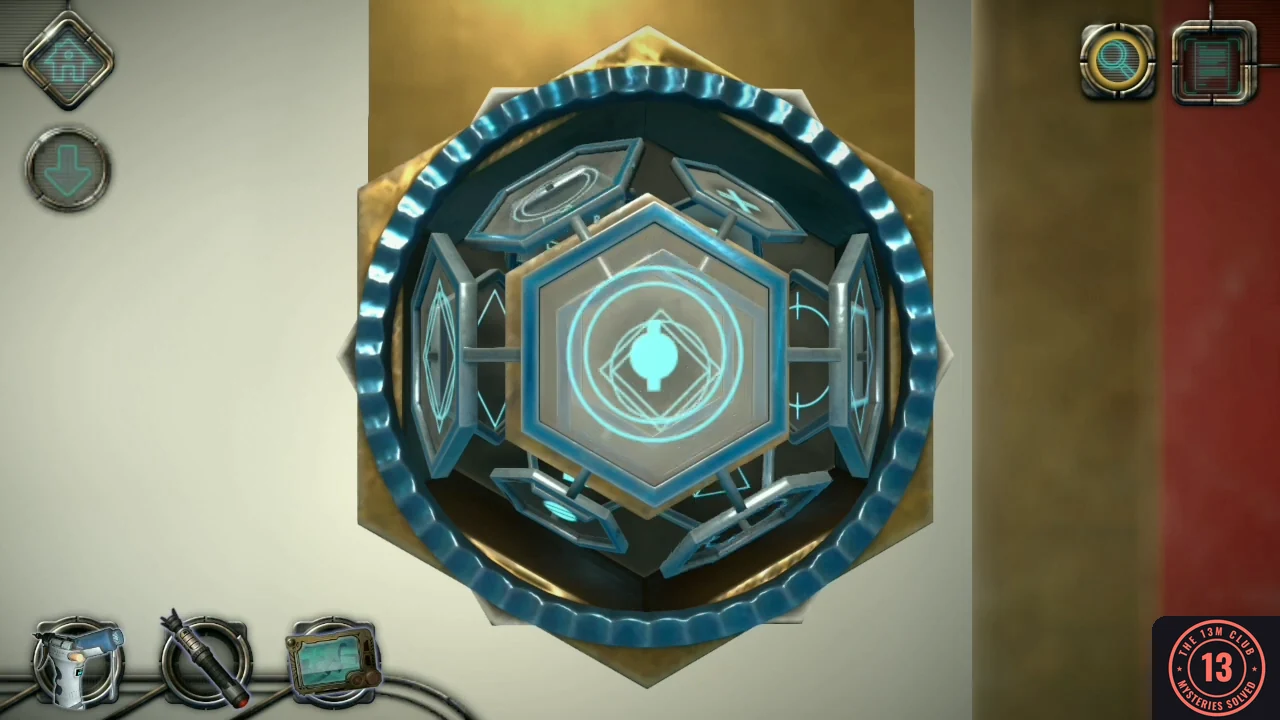
- Insert the mechanical part beside the red door. Note the red symbol it shows (turn the blue outer disc to see it again), then rotate the three hexagon groups to recreate it in blue.
- Go through the red door into the lift. On the keypad on the lift's inner wall, press the four smudged tiles: top left, middle right, bottom left and bottom right. The lift rides down; when it stops, tap the door sensor to step out.
CHAPTER 4
Cryo pod compartments
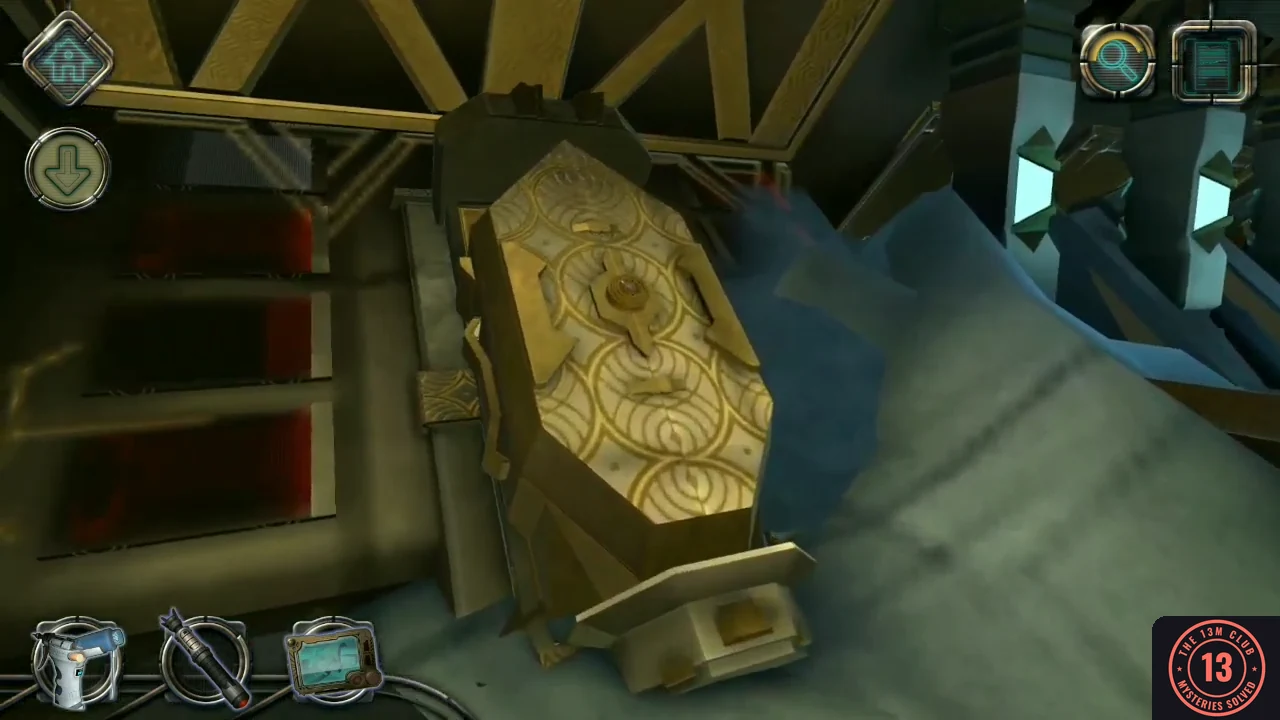
A damaged pod on the left holds three items.
- Look at the pale mound of sand on the left, beside the damaged pod, and take Letter #06.
- Examine the dial on the large pod and rotate its disc until three lights show through it.
- On the left side, press the four small diamond buttons in this order: top, bottom, left, right. Take the lens.
- At the bottom right, slide the two lower panels outward and the top panel down, then pull open the drawer and take the mysterious cylinder.
- Use the lens on the nine tiles at the top right and drag it around to see the lines hidden under them. The goal is a picture of two circles, one inside the other, crossed by a cross through the centre. A tile cannot be turned while the lens is over it, so move the lens off a tile before tapping it. Tap the tiles whose lines do not fit that picture to turn them, checking each one again with the lens, until the whole picture is complete. Then take the metallic item.
CHAPTER 4
Crane controls
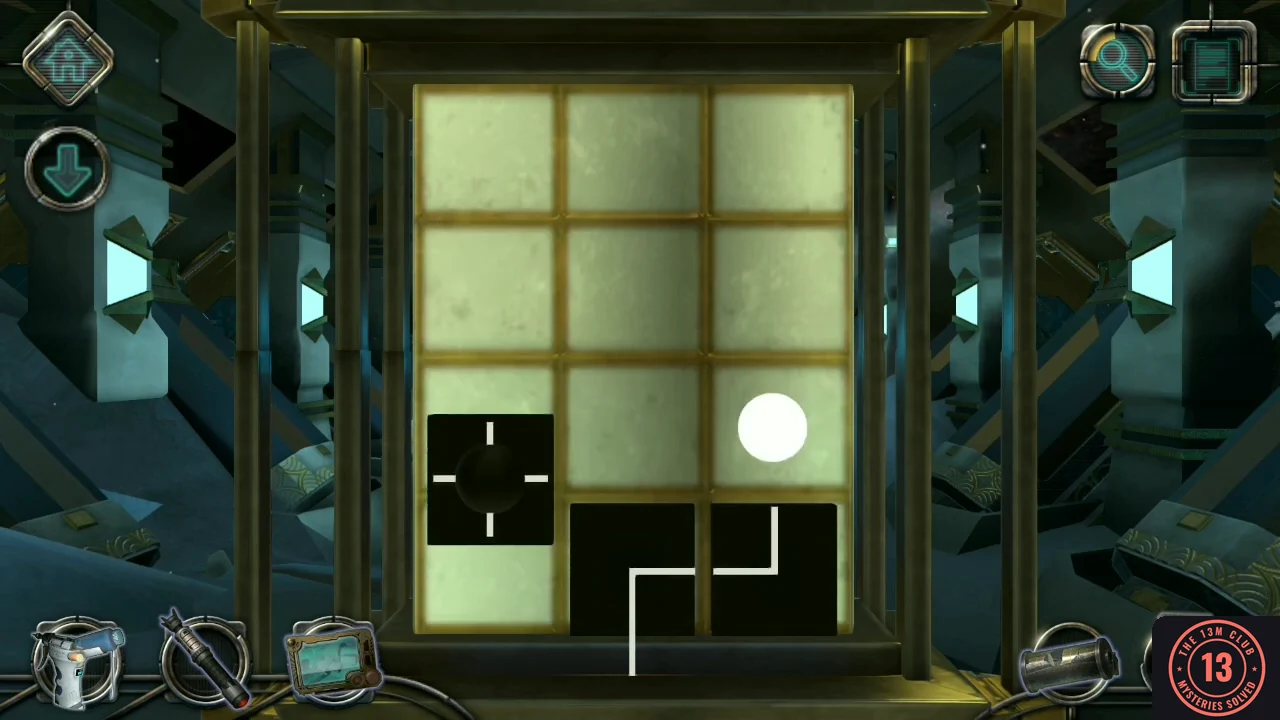
The small panel near the middle of the room controls the ceiling crane.
- Slide the panel's top and bottom covers apart. The board has three levels. In each one, move the black tiles to build one continuous line from the bottom of the board to the crosshair tile, and place the crosshair tile over the white circle. A black tile falls unless another tile is under it: slide a tile onto another tile to keep it in a higher row, or move a supporting tile away to drop the tile above it into a lower row.
- Watch the crane bring a buried pod to the station on the right.
CHAPTER 4
Station drone
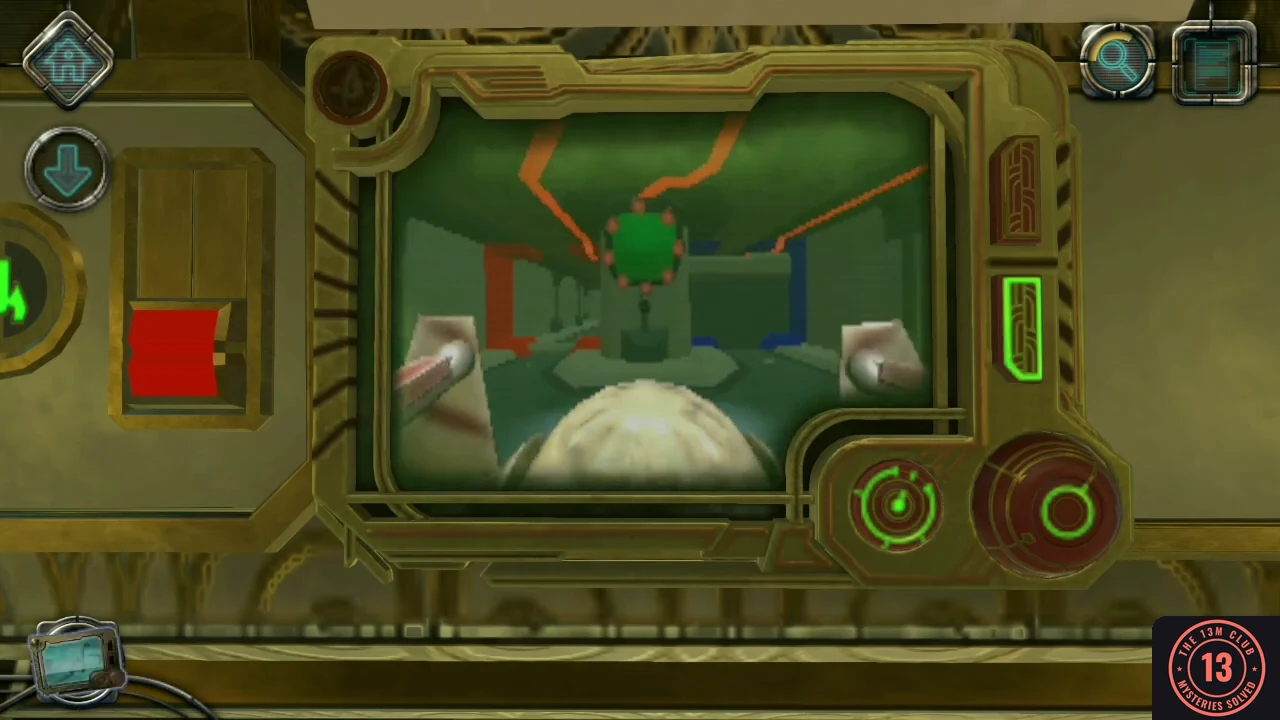
The screen beside the station has a green drone symbol.
- Use the drone controller on the green drone symbol at the bottom of the screen.
- Move the blue switch down, go forward twice to the fork and laser the red target. Take the left branch, go forward twice, turn right and laser the next target. Return to the fork, move the red switch up, take the right branch, go forward and laser the last target.
CHAPTER 4
Pod clamp
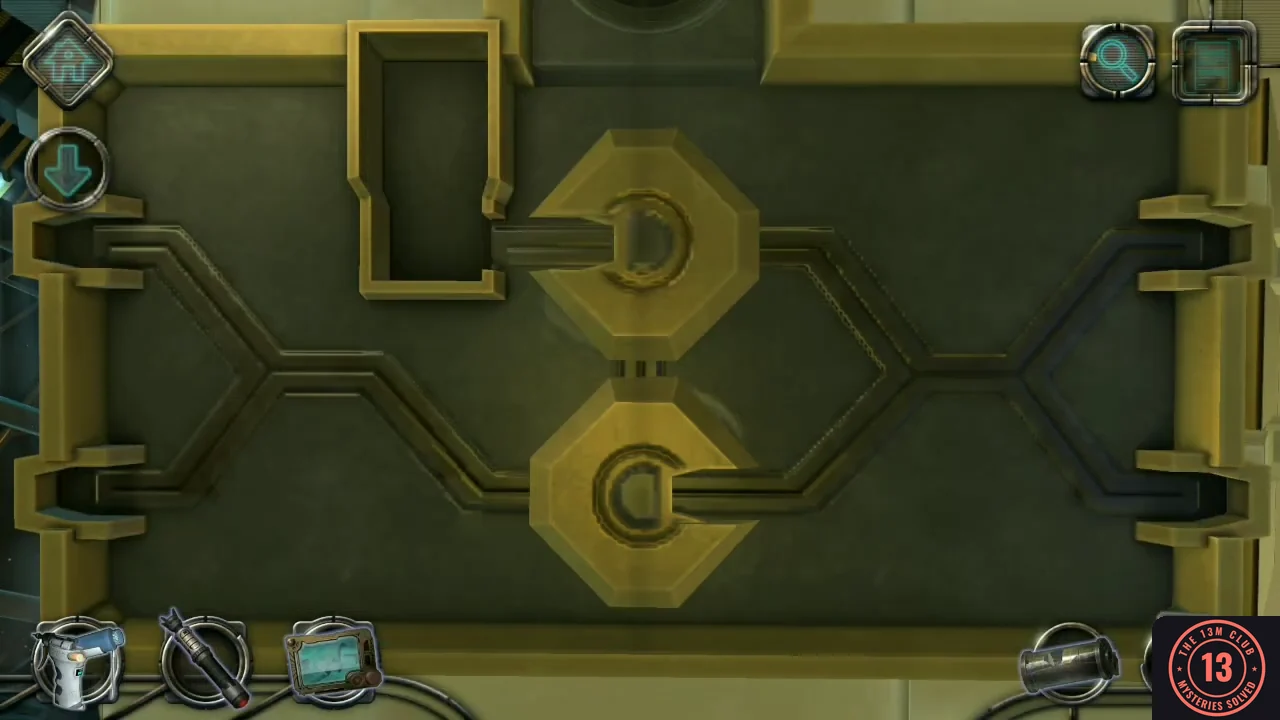
The pod's clamp is held by another screw.
- Examine the pod's clamp and use the screwdriver, matching the five-petal screw shape.
- Insert the metallic item into the empty slot. Drag the four latches along the tracks, and rotate the holders between moves to line their tracks up with the paths you need. Keep going until each latch sits in a corner with its arrow pointing outward.
CHAPTER 4
Symbol code
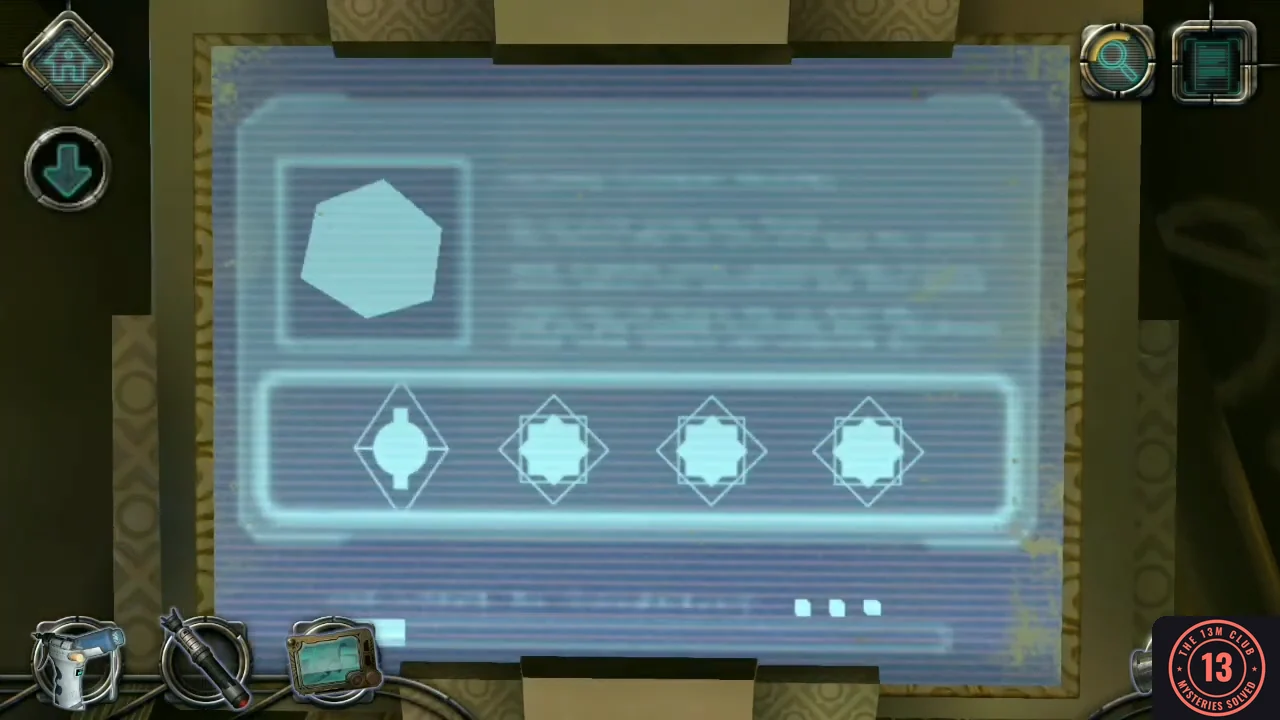
The four symbols for the screen are hidden in the mysterious cylinder.
- Examine the mysterious cylinder and slide its segments to reveal four symbols.
- Enter the symbols from left to right on the screen: circle with a plus (3 taps), circle with a hole (2 taps), striped circle (4 taps), circle with a line (1 tap).
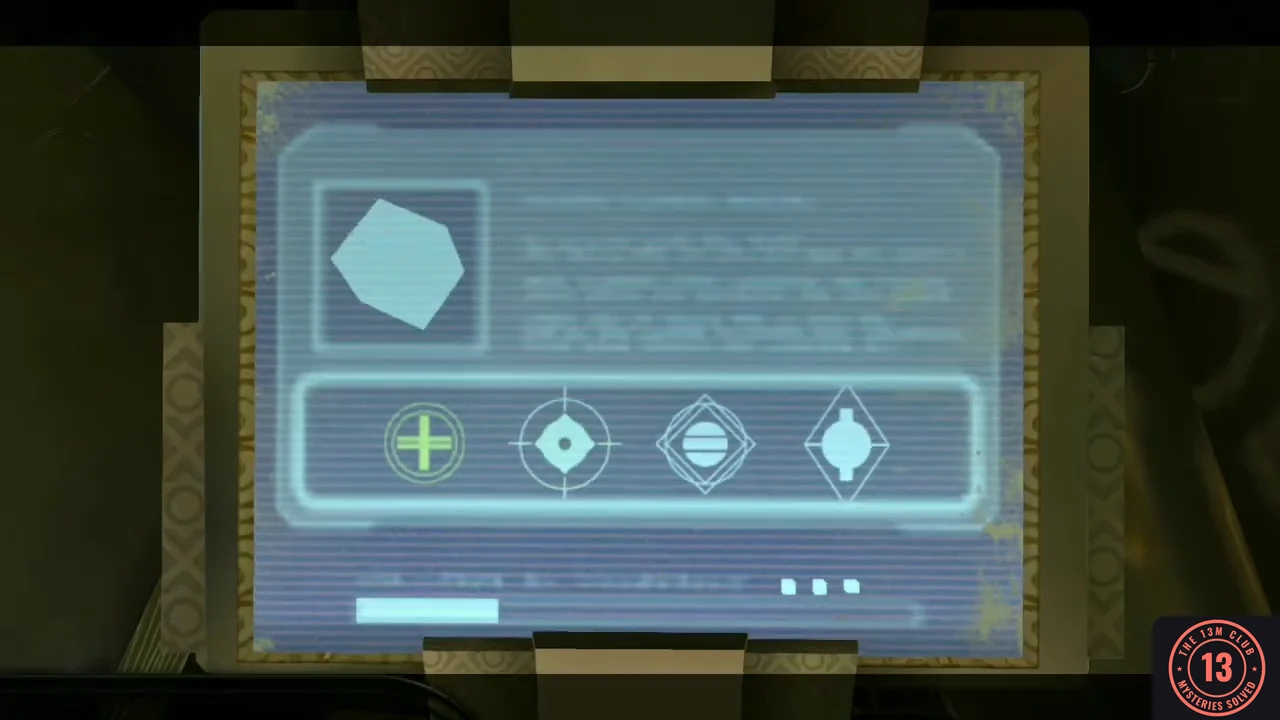
The four symbols entered from left to right. - Tap the five round symbols on the right until each hole faces its rectangle.
- Move all five heating bars to the top using the four buttons: bottom blue, top yellow, bottom yellow, top blue, bottom yellow twice, top blue, bottom blue, top yellow.