ACT 5
Underwater dome blocks
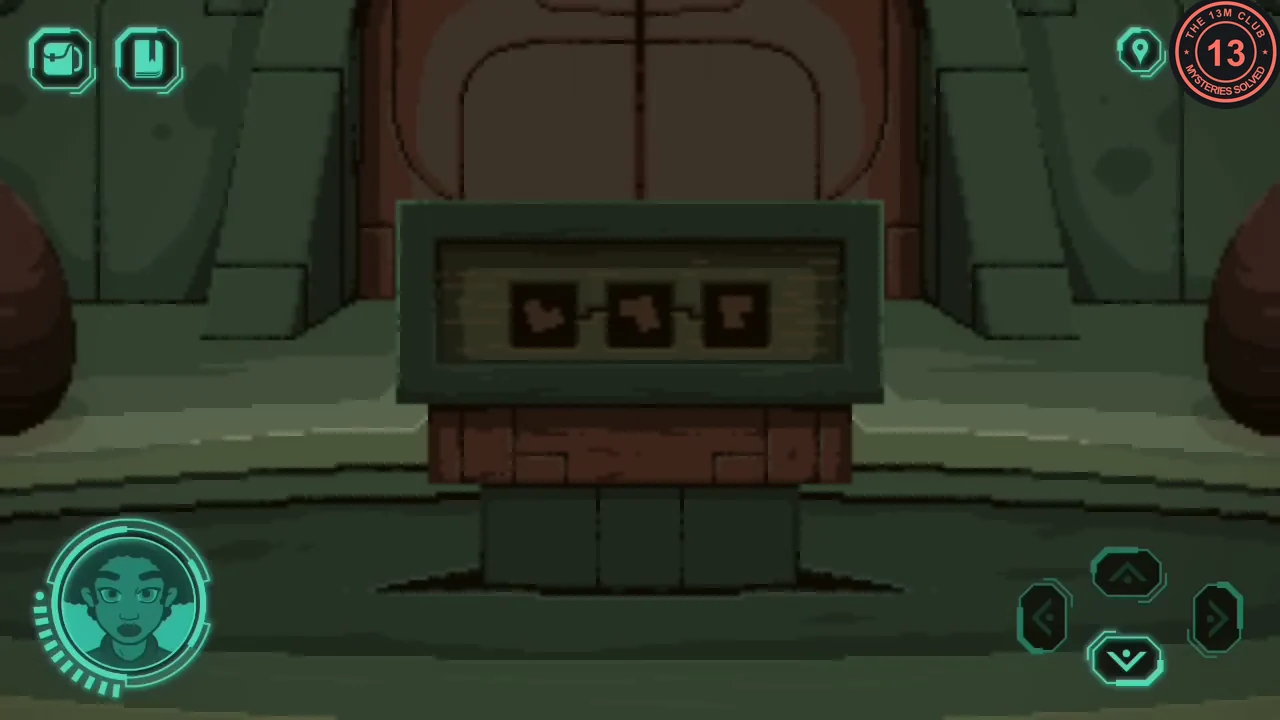
A pedestal holds three tiers of blocks that must be rotated into their recessed outlines.
- Optional: on the dome walkway, tap the bright speck of dust on the floor.
- Press the triangle in the floor to raise the pedestal. Press and drag on each block (touch and drag, or click and drag) to turn it in 3D until its face matches the recessed outline beneath and it drops into place; the journal also sketches the target shapes. Solve the three tiers (three blocks, two blocks, then one).
ACT 5
Core switch panel
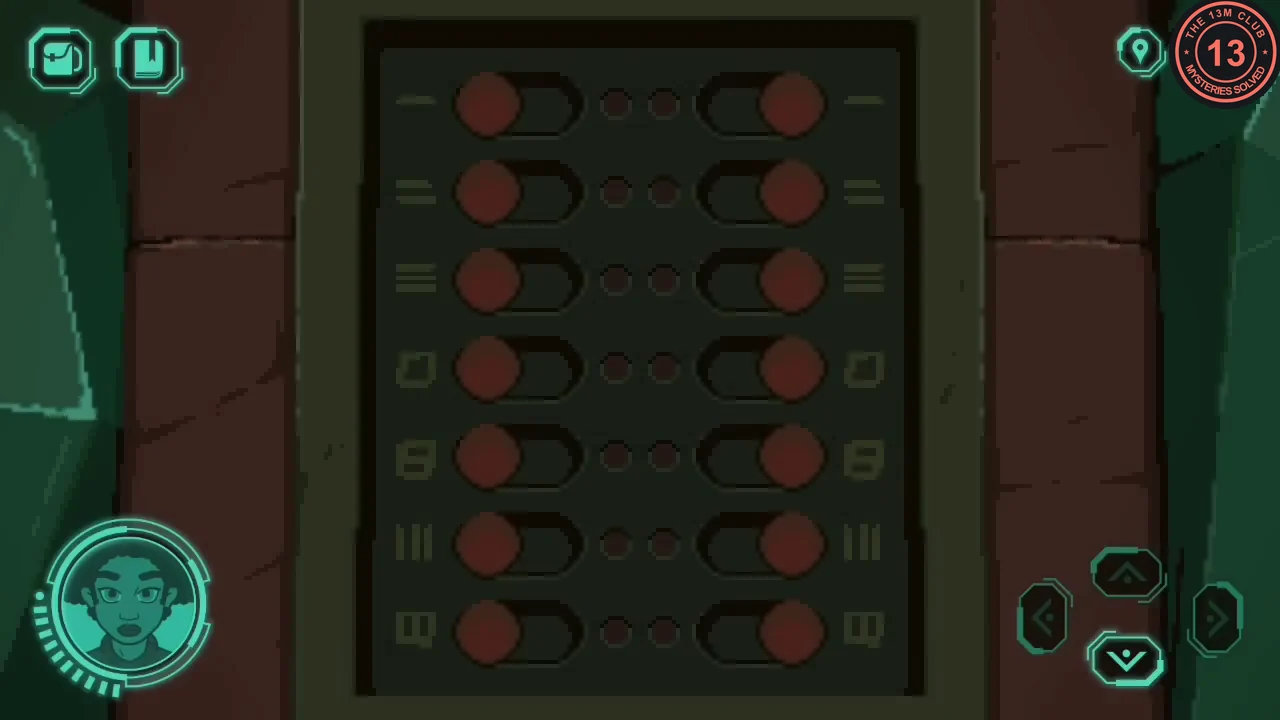
Floor glyphs in the core give the switch settings for the portal power panel.
- Walk to the balcony portal and pick up the T-shaped gadget beside the stairs.
- Insert the gadget in the slot beside the blast door to open it.
- Read the glyphs on the floor: left column 2, 3, 6; right column 3, 4, 7.
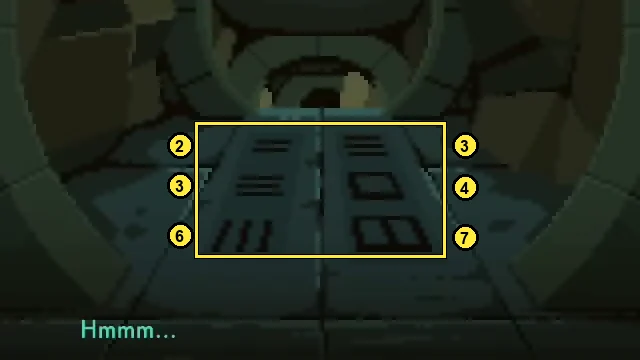
The floor glyphs that set the switches. - Open the wall panel. It has seven glyph rows with a slide switch on each side. Slide in the left switches for 2, 3 and 6 and the right switches for 3, 4 and 7. The portal powers up, but its hand scanner does not accept the astronaut's hand.CODELeft 2, 3, 6; right 3, 4, 7
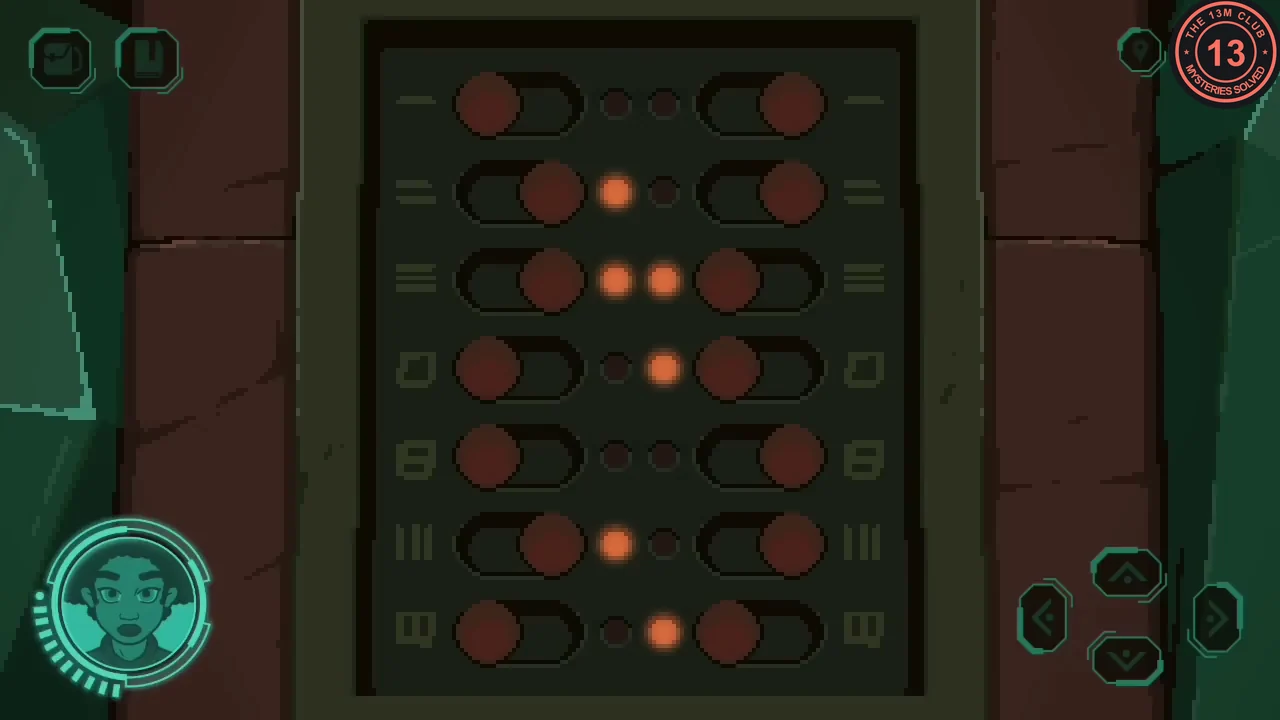
The correct switch setting.
ACT 5
Pod power console
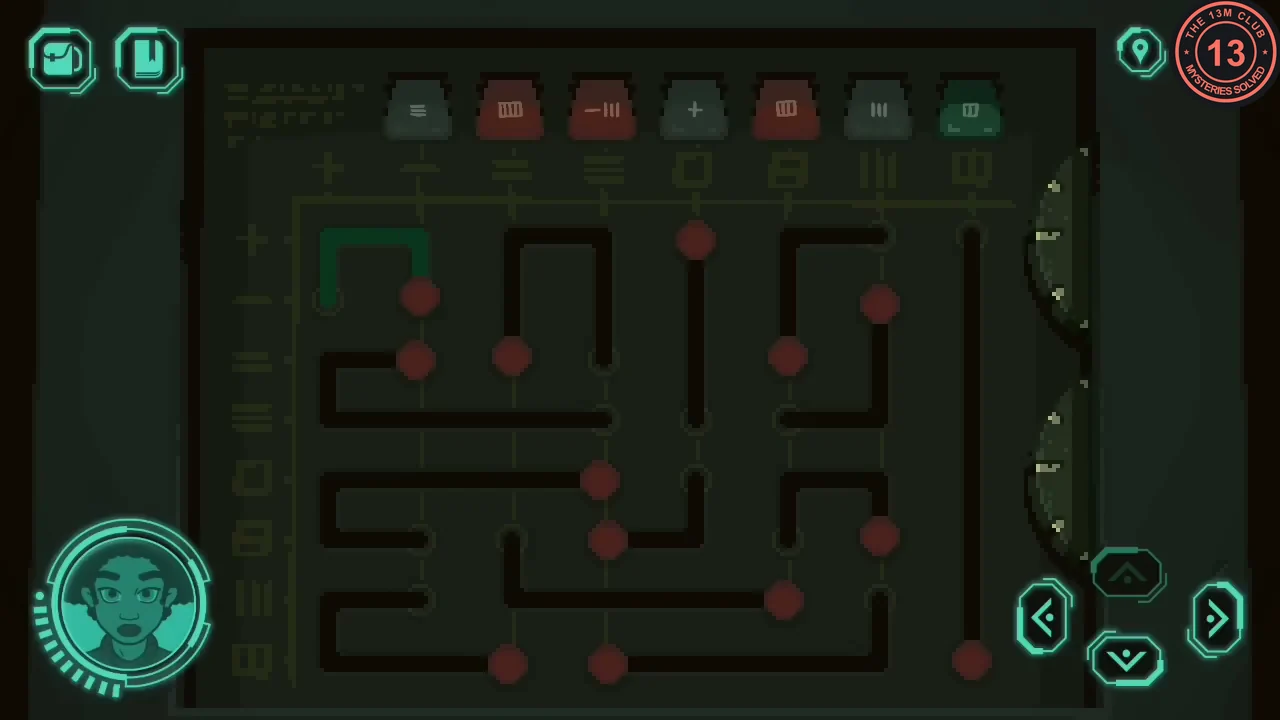
This is a long sliding puzzle, so here is the method rather than every move. Journal page 10 shows that each column must total seven.
- Follow the walkway to the escape pod bay. Pull down the red handle in the small box on the railing to the right of the walkway; a panel opens on the left. Look at the recess on each side of the panel and pull both bar handles down. The pod itself does not work yet.
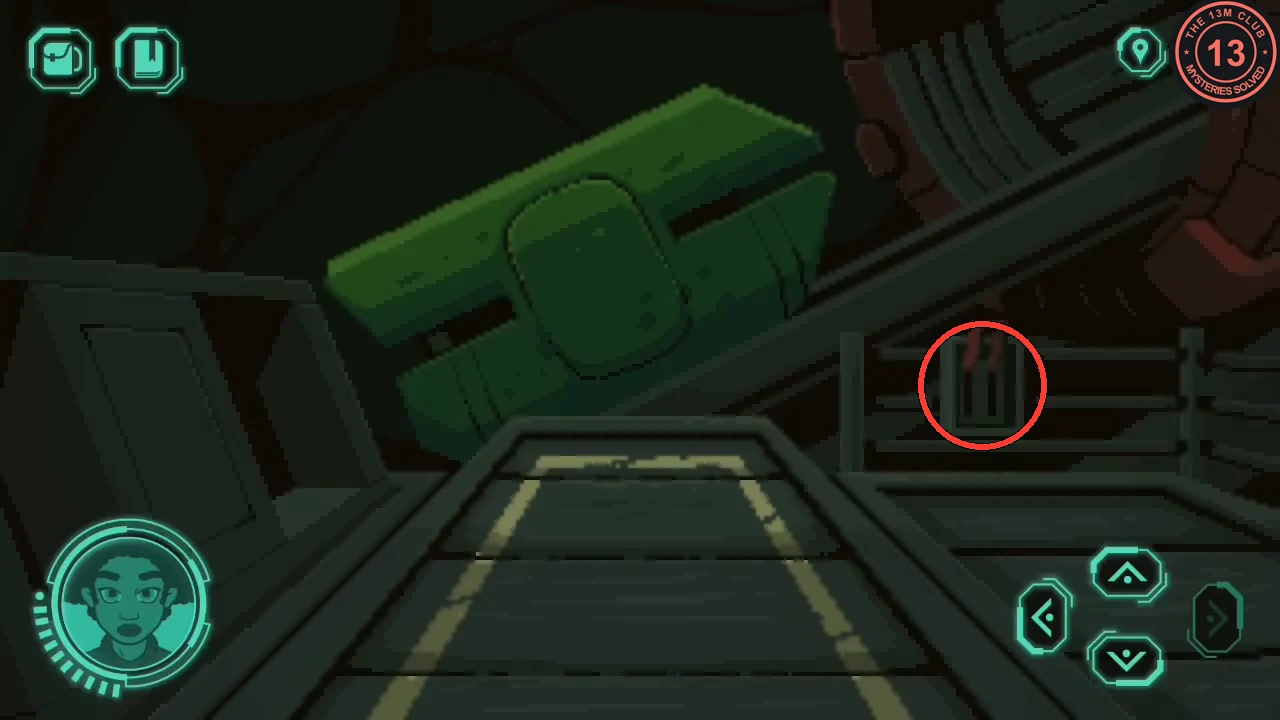
The red handle on the railing opens the console panel. - Examine the power console in the panel. Rows and columns are labelled with number glyphs, red markers sit on the tracks, and the indicator above each column shows that column's current total. Each red marker adds the value of its row to the column it sits in.
- Use the dials on the right to move the green highlight from track to track and to slide the highlighted track's red marker. Moving a marker from one column into another changes both columns' totals, so adjust one column at a time and recheck its neighbours. An indicator turns green when its column totals seven. When all seven indicators show the seven glyph in green, the pod has power.
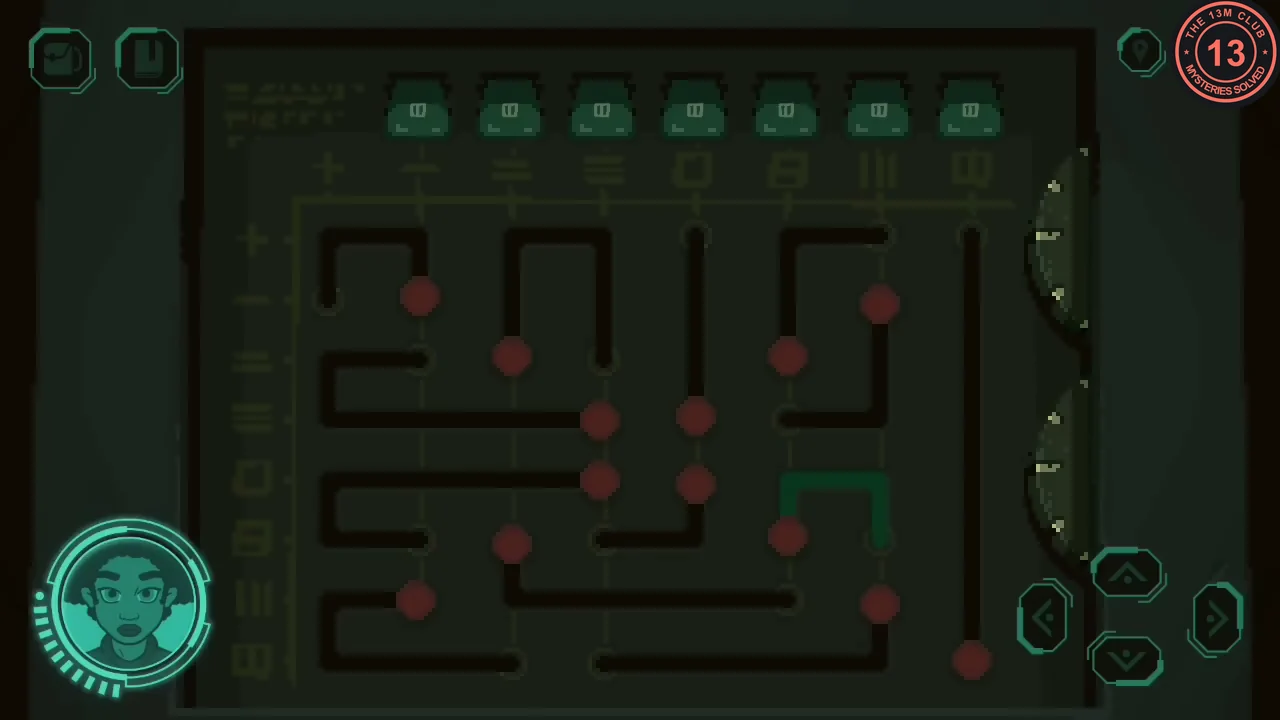
Solved: every column indicator is green. - Climb into the pod and pull the control lever in front of the seat to launch.
ACT 5
The alien's journey and ending
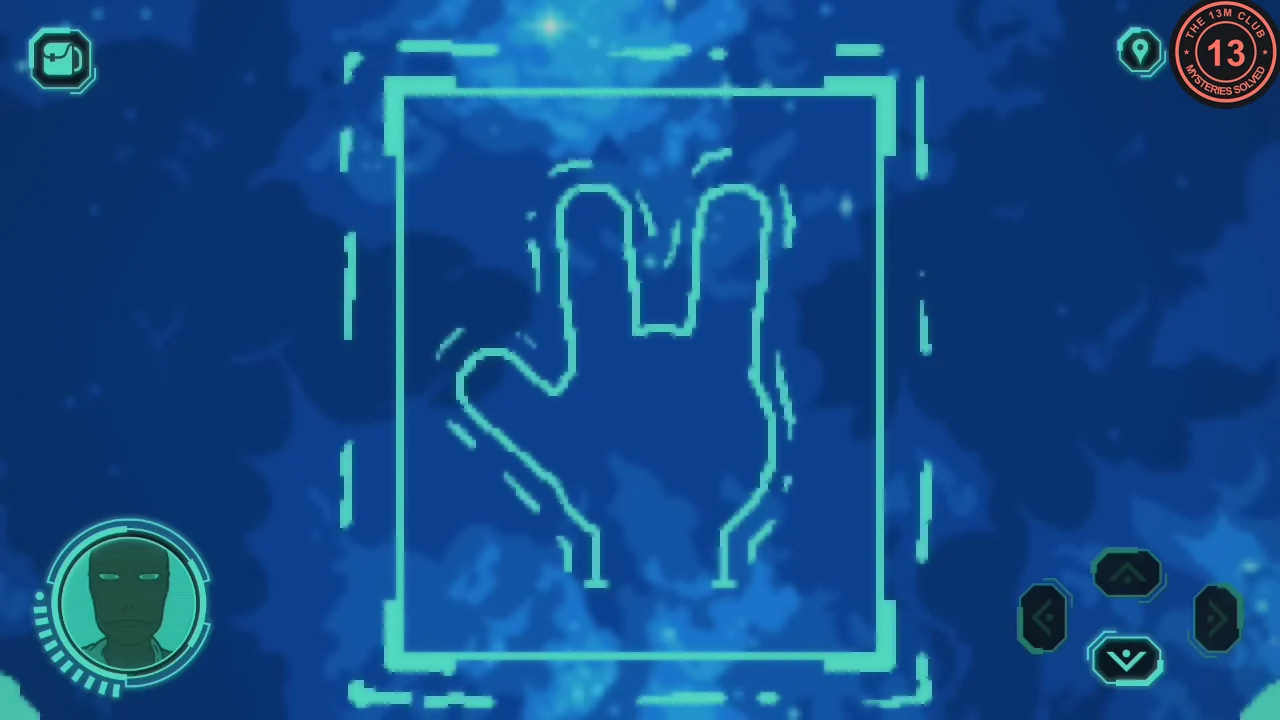
After the astronaut escapes, you play as the alien.
- As the alien, carrying the staff and the doll, ride the lift to the transport and travel to the underwater dome. Place the staff in the floor socket to go down to the core, then touch the hand scanner at the balcony portal; it accepts the alien's hand.
- Step through the portal and walk right through the forest to the petrol station to finish the story.