CHAPTER 1
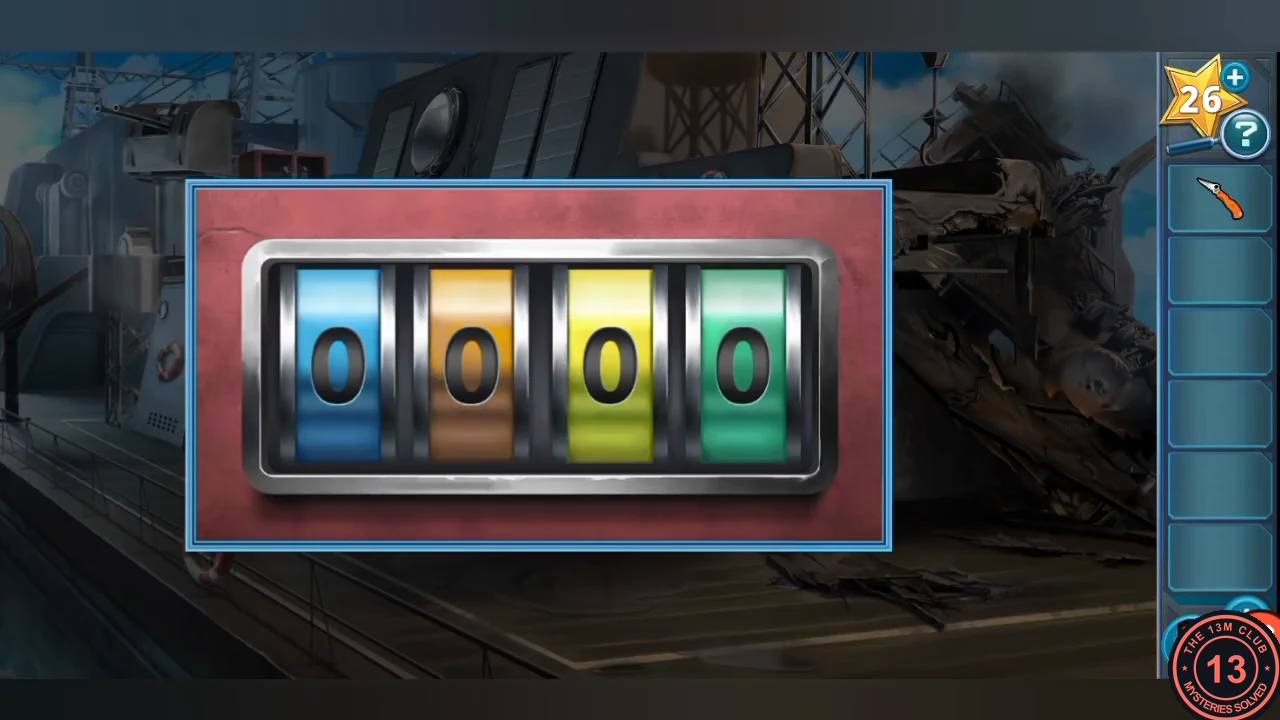
Ship Deck: Crate Colour Closet Lock
You play as Nick Torres aboard the damaged Navy ship. The goal is to reach the voyage data recorder (VDR) that fell below deck.
- Move the lifesaver aside and take the Ladder Rungs. The debris over the hatch is too heavy to move by hand for now.
- Open the red first-aid kit and take the Knife.
- Fix the broken wall ladder with the Ladder Rungs and climb up.
- Look through the porthole at the cargo crates: blue 05, orange 04, yellow 08, green 07.
- Open the closet lock beside the porthole. Its wheels are coloured blue, orange, yellow and green, so enter 5, 4, 8, 7. The closet opens; take the Uniform from inside.CODE5487
- Inspect the Uniform in your inventory. The zipper is jammed, so cut the pocket with the Knife and take the Keys.
- Use the Keys on the bay door, then on the forklift inside. Torres drives it to clear the debris; open the hatch and go below deck.
CHAPTER 1
Below Deck: Steam Pipe Puzzle
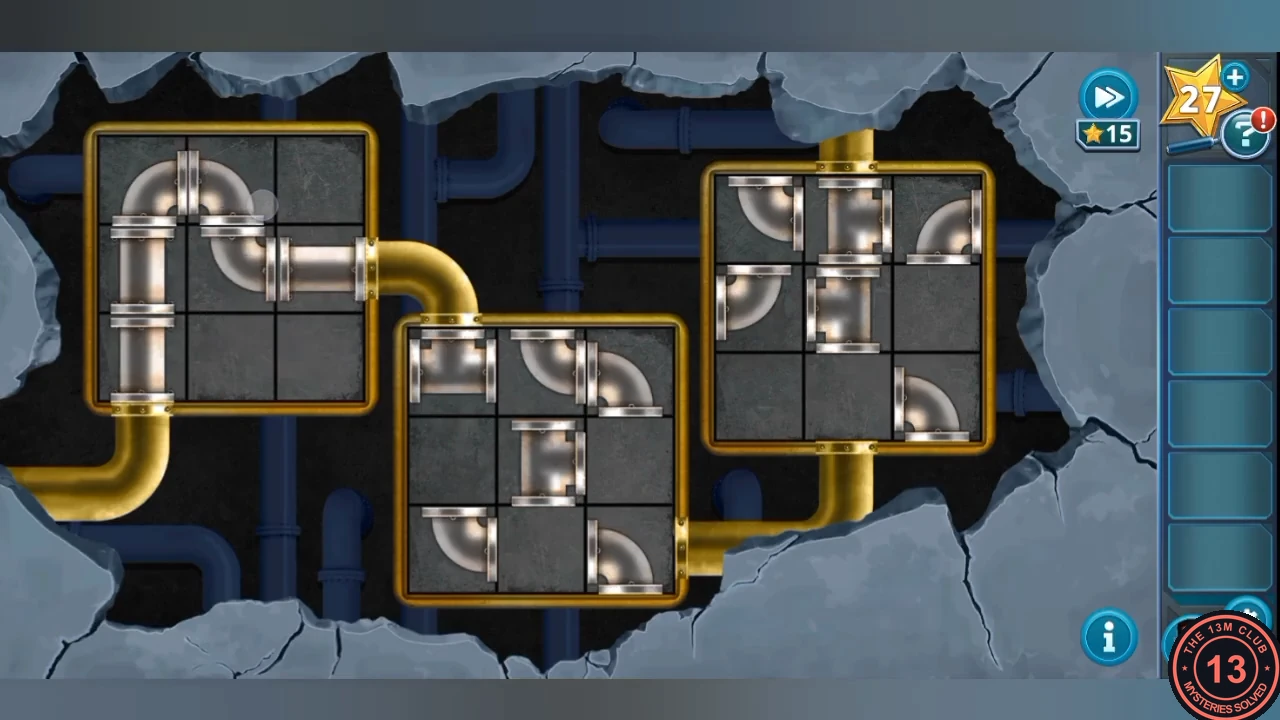
A broken steam pipe blocks the way to the recorder. Repair the pipe network behind the cracked wall.
- Take the Sledgehammer from the floor and the Pipes from the open metal box on the right.
- Break the cracked wall with the Sledgehammer, then add the Pipes to the exposed pipe puzzle.
- Rearrange the pipe tiles in each of the three gold-framed boxes so the gold pipes join in one continuous run with no open ends. Left box: the gold pipe enters at the bottom of the left column and leaves on the right side of the middle row. Middle box: in at the top of the left column, out on the right side of the bottom row. Right box: in at the bottom of the middle column, out at the top of the middle column. Compare your boxes with the solved layout pictured here.
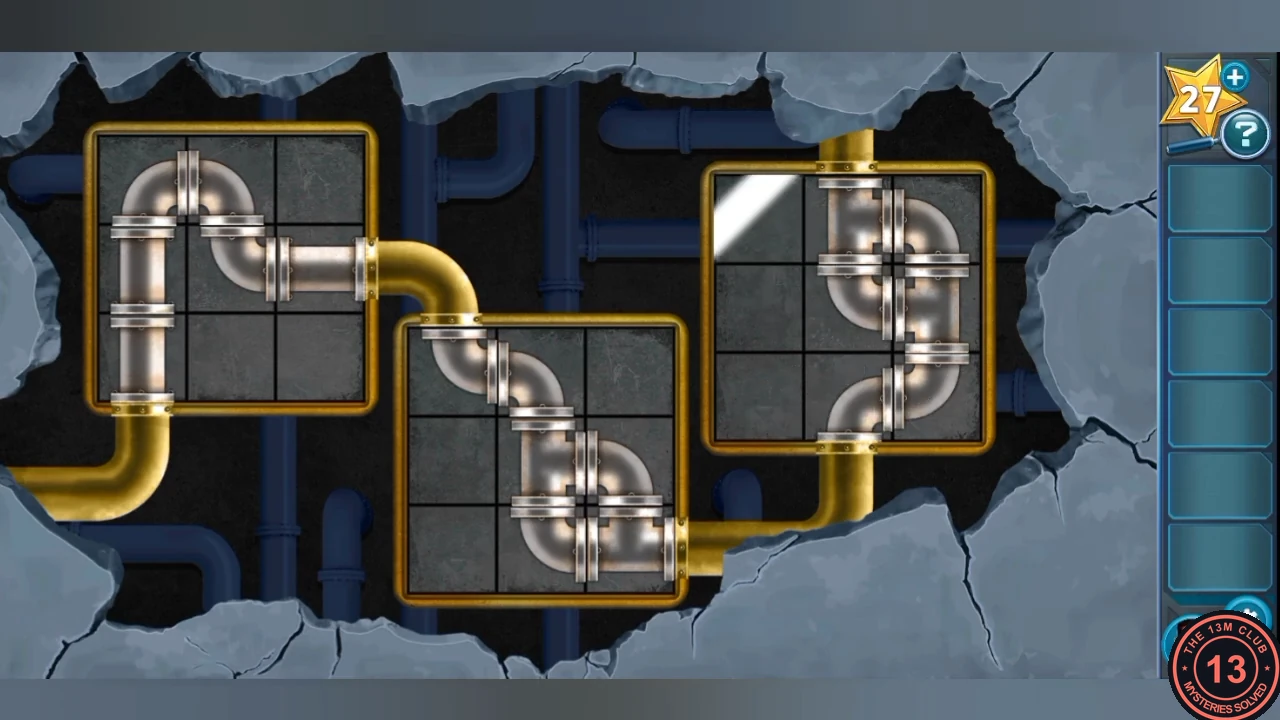
Solved layout: compare your three boxes with this. - Pull the body out from under the pipes and take the Metal Clippers.
CHAPTER 1
Voyage Data Recorder Wire Puzzle
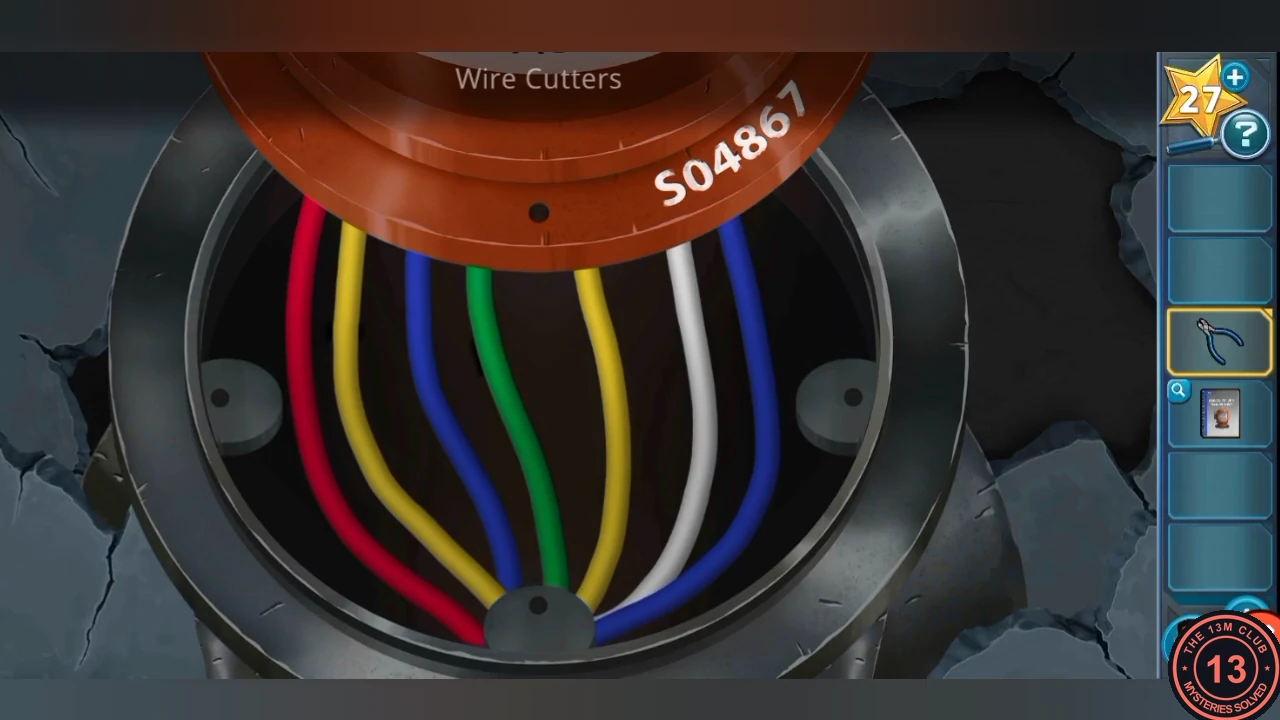
Collect the tools from the bay closet, uncover the VDR and remove it safely by following its manual.
- Return to the bay and cut the closet padlock with the Metal Clippers. Take the Socket Wrench, VDR Manual, Chain and Hook, and Wire Cutters.
- Below deck, attach the Chain and Hook to the hanging chain and pull it to lift the rubble off the recorder.
- Unscrew the VDR top with the Socket Wrench, place the VDR Manual and note the serial number S04867. The starting wire order is red, yellow, blue, green, yellow, white, blue.
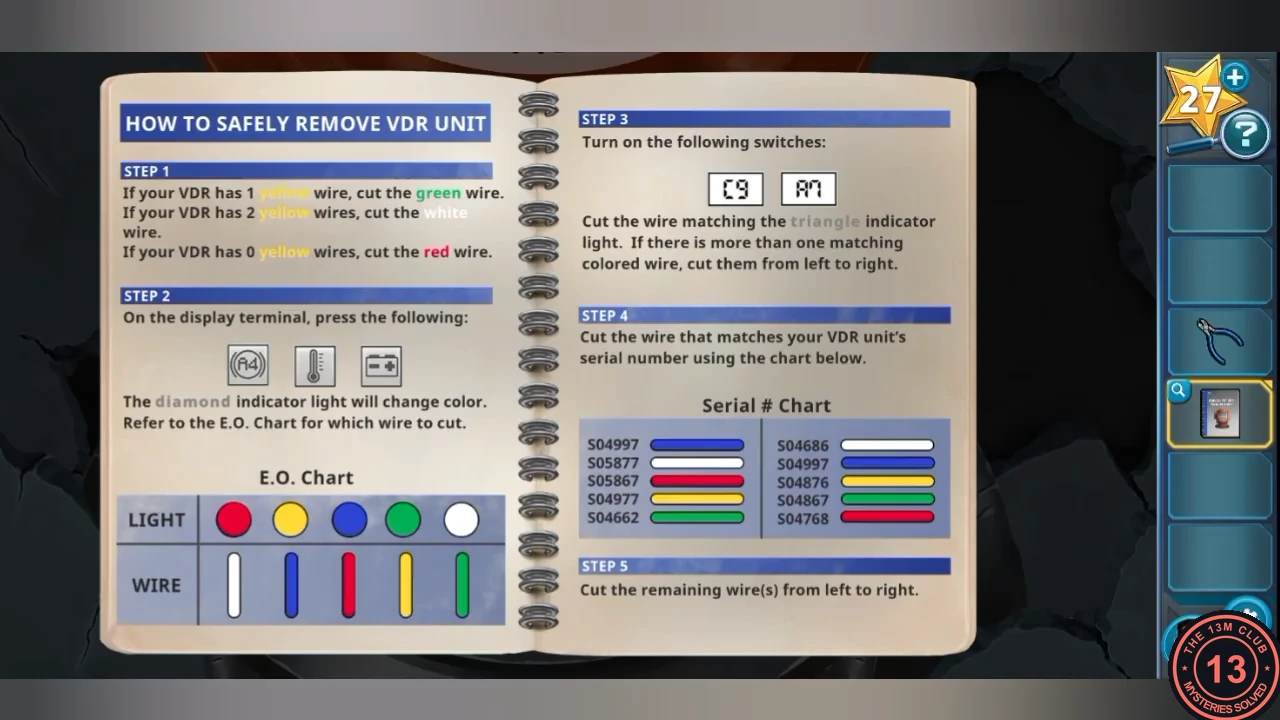
The VDR manual: use the E.O. chart for step 2 and the serial chart for step 4. - Manual step 1: with two yellow wires present, cut the white wire with the Wire Cutters.
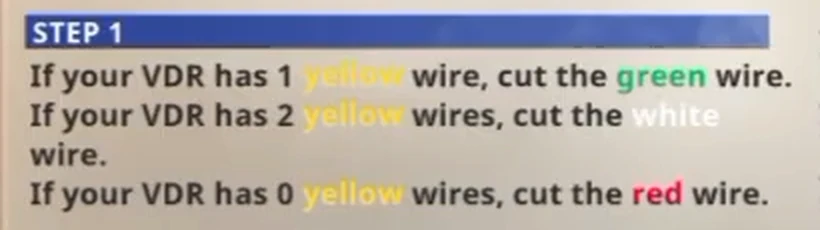
Manual step 1: one yellow wire, cut green; two yellow wires, cut white; no yellow wire, cut red. - Step 2: on the display terminal press A4, the thermometer and the battery. Read the diamond light and cut the wire the E.O. chart gives for it. Here the diamond was blue, so cut the red wire.
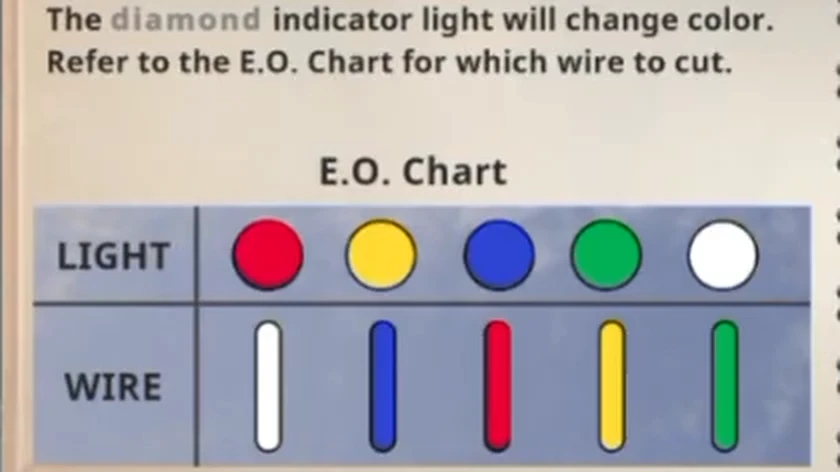
E.O. chart: red light, white wire; yellow, blue; blue, red; green, yellow; white, green. - Step 3: turn on switches C9 and A7, then cut every wire matching the triangle light from left to right. Here the triangle was yellow, so cut the left yellow wire, then the right one.
- Step 4: the serial chart gives green for S04867, so cut the green wire.
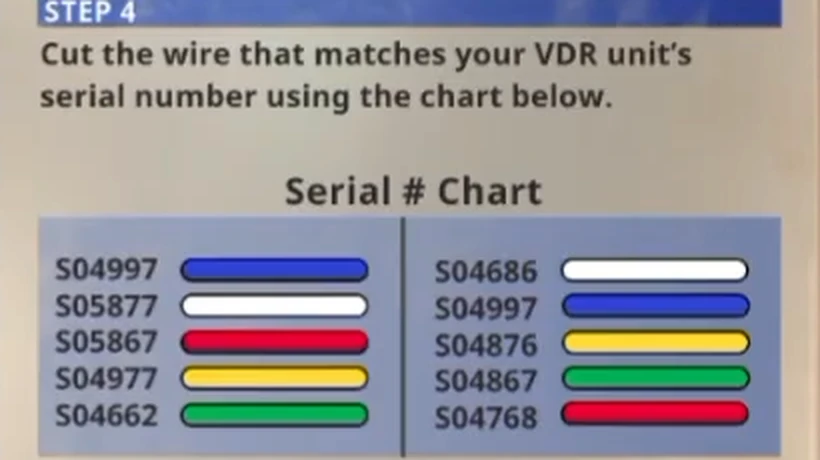
Serial chart: find your serial number. S04867 is green. - Step 5: cut the remaining wires from left to right (the two blue wires). Take the VDR Unit.
CHAPTER 1
Interrogating Tyson Chapman
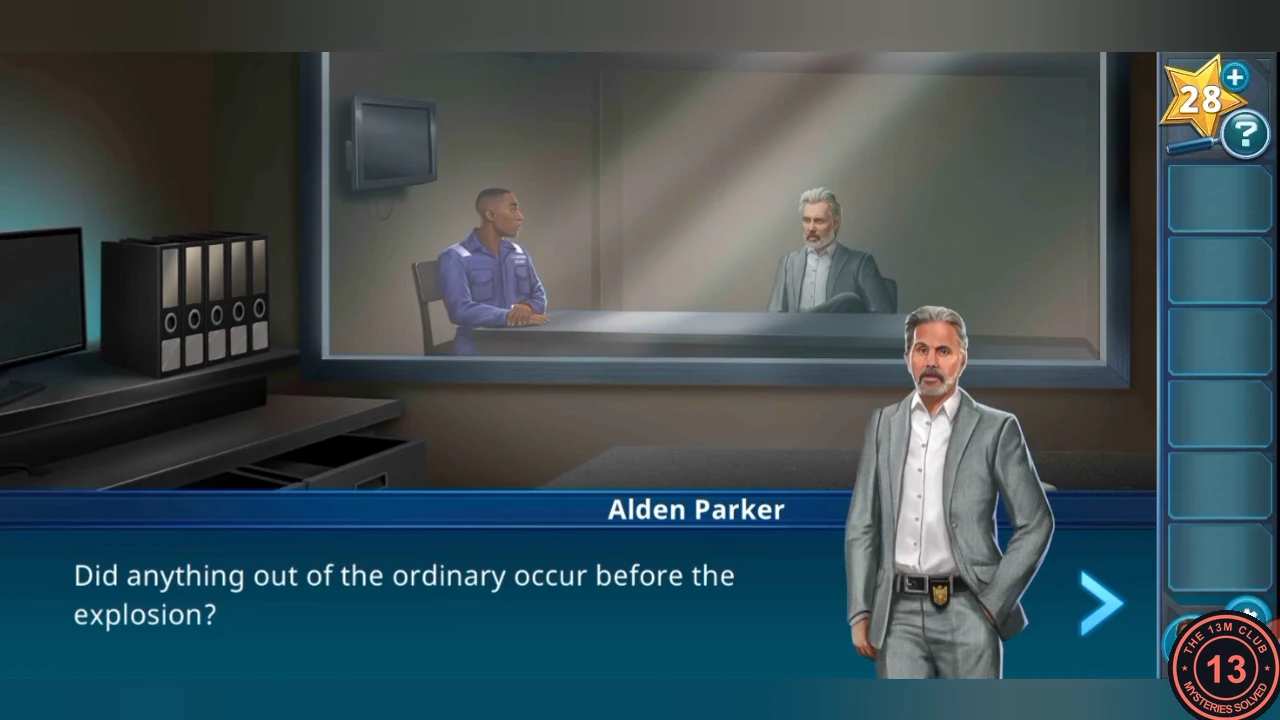
Now you play as Tim McGee in the observation room while Alden Parker questions the engineer.
- Take the USB Cable from the left desk drawer, the Charging Brick from the lower drawer and the Tablet from the other drawer.
- Plug the Charging Brick into the socket under the desk, attach the USB Cable, then connect the Tablet.
- Choose Rory Maynard (the victim) and exhaust the questions, then The Navy ship. This unlocks The remote access light; exhaust it too. When all three notes are written, choose Conclude the conversation.
CHAPTER 1
Forensics Lab: Setting Up Kasie's Computer
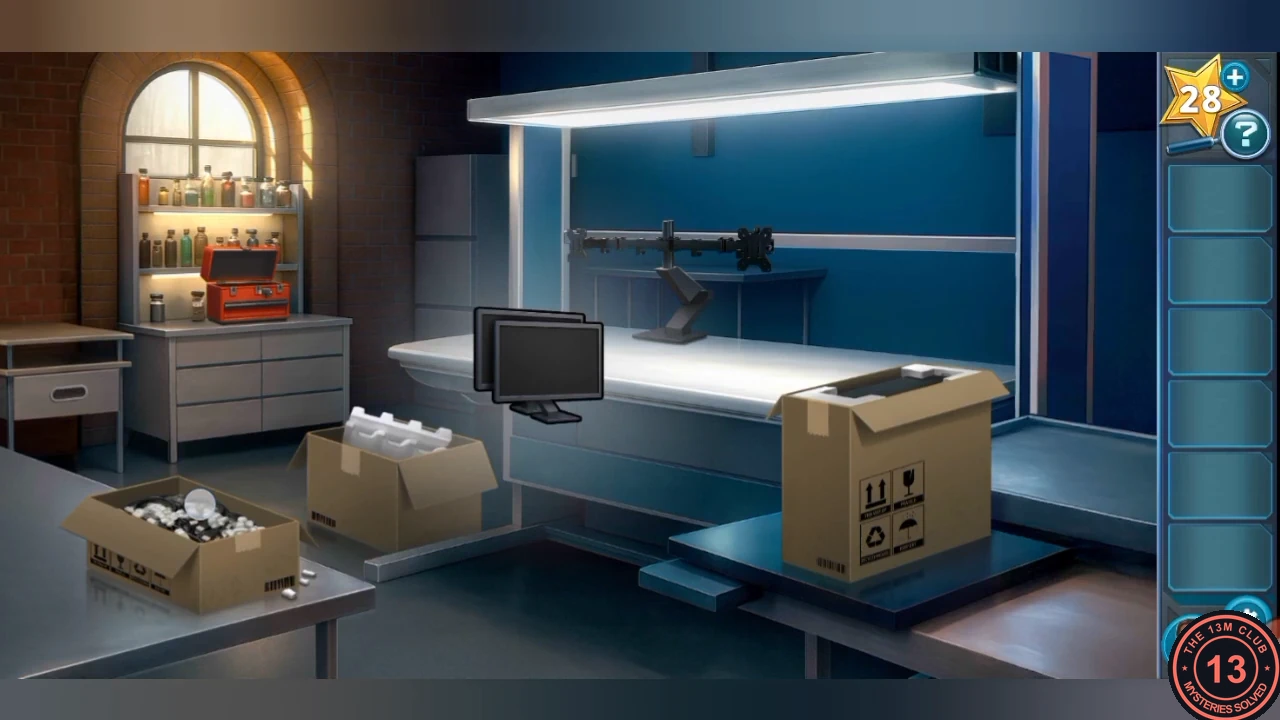
In Kasie Hines's lab, unpack and assemble her new computer.
- Take the Toolbox Key, open the toolbox and take the Box Cutter.
- Open all three boxes with the Box Cutter, take the computer, monitor and cables, and place them on the desk. Kasie returns.
CHAPTER 1
CCTV Footage Sync Puzzle
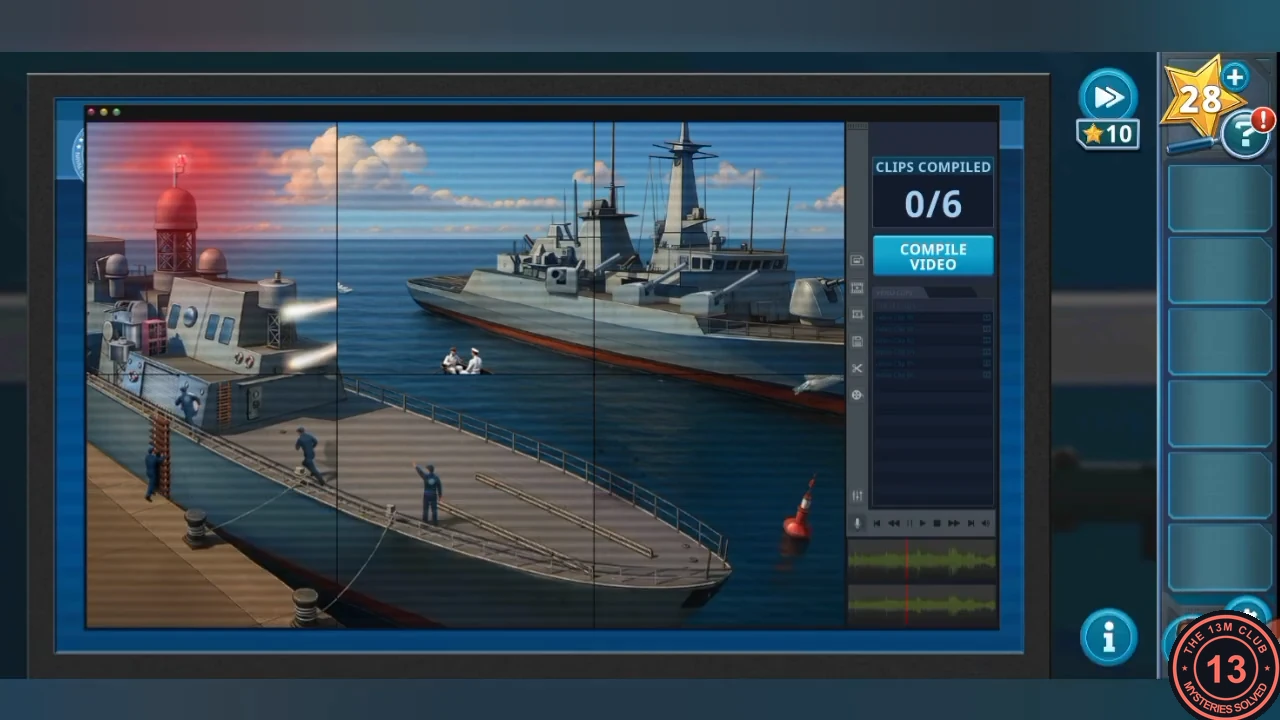
Kasie has stitched six security cameras into one view. Each clip shows six windows (three by two) that must show the same moment.
- Tap a window to cycle its frames. When all six windows join into one continuous picture, press COMPILE VIDEO. Repeat until the counter reaches 6/6. Starting frames may differ, so match the picture rather than counting taps.
CHAPTER 1
Ordering the Explosion Clips
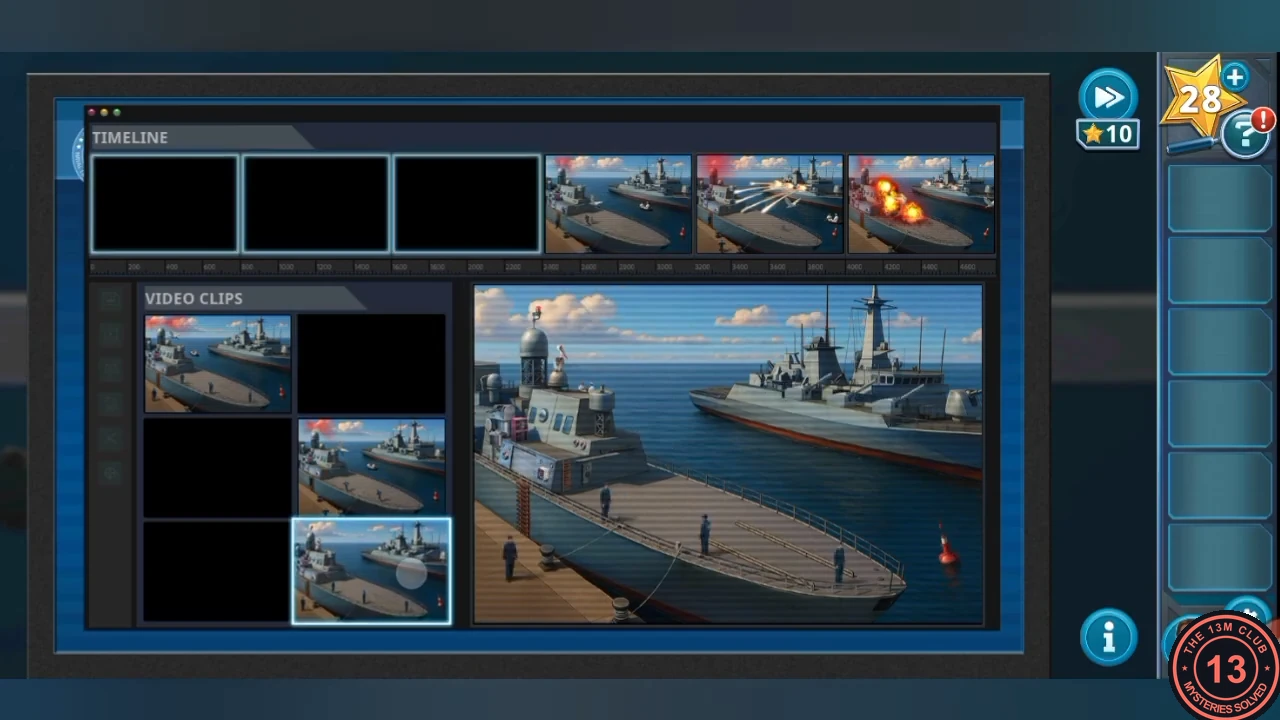
Put the six compiled clips in chronological order on the timeline.
- Order the clips: the calm clip with no alarm first; then the three alarm clips, ordered by the small white boat moving from left to right; then the ship firing tracers; and the explosion clip last.
- Watch the cutscene to finish Chapter 1.