CHAPTER 7
Library: books, ladder and slider box
Collect the picture buttons for the frame above the CD player.
- Take the Oil (white side table), the CD Case (CD shelf) and the Botanical Encyclopedia (lower-left bookcase, third shelf). The frame above the CD player reads 'Press from largest to smallest'.
- Optional: set the blue, white and pink buttons in the table drawer to match the coloured circles under the encyclopedia flowers for the Pressed-Flower Bookmark archive.
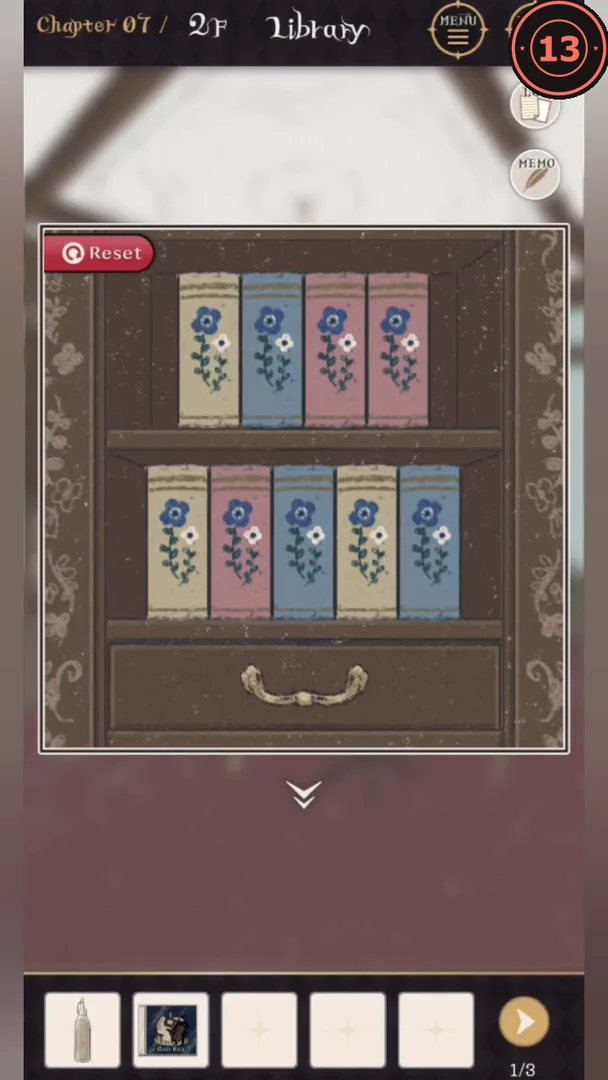
- Arrange the book spines on the two-shelf bookcase like the dried bouquets: yellow, pink, pink, blue on top and pink, yellow, blue, yellow, blue below. The drawer underneath opens; take the Rust Remover and the Button (Bread).
- Use the Rust Remover on the rusty fittings of the ladder, then lower it and climb to the gallery. The wall lamp upstairs is out of oil: use the Oil on it, and the lit lamp shows the word 'Watching'. Enter WATCH on the desk lock for the Magnifying Glass and Knob.CODEWATCH
- Fit the Knob into the slider box on the table between the armchairs and set green 4, blue 1, yellow 6, red 2. The Bedtime Storybook archive inside is optional.CODE4162
CHAPTER 7
Library: chest, butterflies and CD
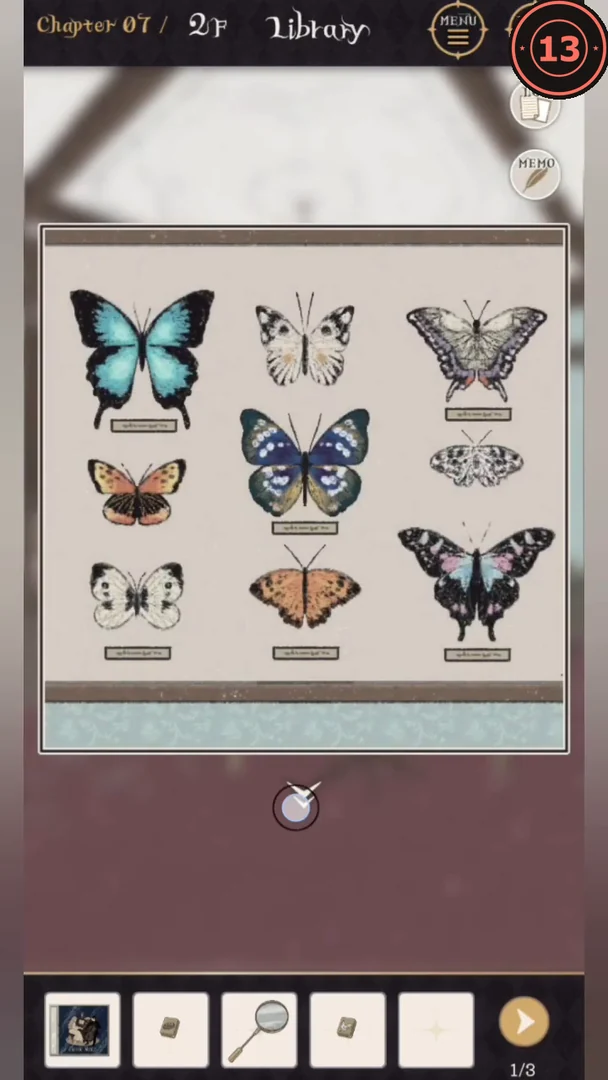
Work through the story-card chest and the butterfly specimens.
- The story cards in the gallery give years: 1812 (flower), 1835 (shell), 1865 (crown), 1900 (balloon). Set the carved chest tiles oldest first: flower, shell, crown, balloon. Take the Button (Chicken) and the Specimen Box Key.
- Use the Specimen Box Key on the keyhole of the butterfly case to remove its glass, then read the labels with the Magnifying Glass. On the landscape tin, put the turquoise butterfly on Forest, grey on Hill, black-and-pink on Flower Garden and blue-violet on River. Take the Button (Spinning Wheel) and the Seam Ripper.
- Cut the curtain tieback with the Seam Ripper. Light falls on the lower-left bookcase: 5, 4 and 3 white books on the three shelves. Set the audio console meters to 5, 4, 3 and take the CD.CODE543
- Put the CD in the CD Case: track numbers 2, 5 and 10 are gold. Combine them as 2, 10, 5 and enter 2105 on the locked blue book in the gallery for the Scissors and Button (Tree Branch).CODE2105
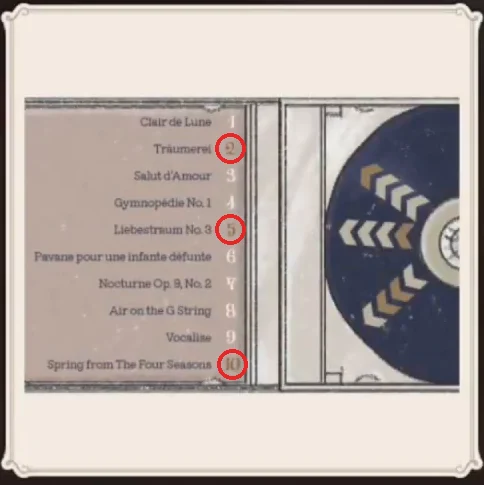
The CD Case: tracks 2, 5 and 10 (circled) have gold numbers; the rest are white.
CHAPTER 7
Library: fairy-tale buttons
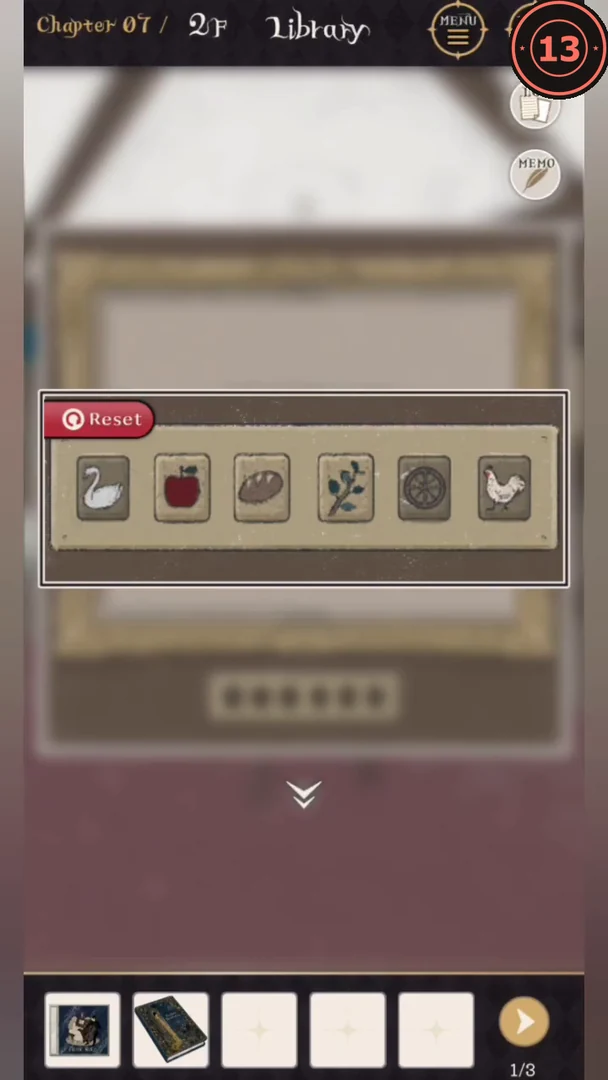
Decode the fairy-tale book and press the picture buttons.
- Cut the twine around the magazines on the gallery desk with the Scissors. The voucher barcode reads 52143; press the numbered books in the white side table in that order for the Illustrated Fairy Tale Book.CODE52143
- Optional: the Pegasus statue's pedestal shows < > > < <. Turn the statue left, right, right, left, left for the Notepad Covered in Sticky Notes archive.
- Insert the four buttons beside the swan and apple already in the frame. In the fairy-tale book, the numbers on each page pick letters from the story title (ignore spaces) and spell a number: spinning wheel TEN, rooster NINE, swan SIX, branch FOUR, bread THREE, apple ONE. Press from largest to smallest: spinning wheel, rooster, swan, branch, bread, apple. Take the Salon Key to clear Chapter 7.